> ## Documentation Index
> Fetch the complete documentation index at: https://docs.getoutbox.ai/llms.txt
> Use this file to discover all available pages before exploring further.
# J.A.R.V.I.S
> Your AI operations hub for agents, workflows, and campaign performance
## Overview
J.A.R.V.I.S is your all-in-one AI operations hub inside Outbox AI. It helps you create and edit agents, build and update workflows, and pull campaign stats for calls and chats from one central place.
You can white-label the assistant name in **Settings → White-label**. If
renamed, the same features remain available under your custom assistant name.
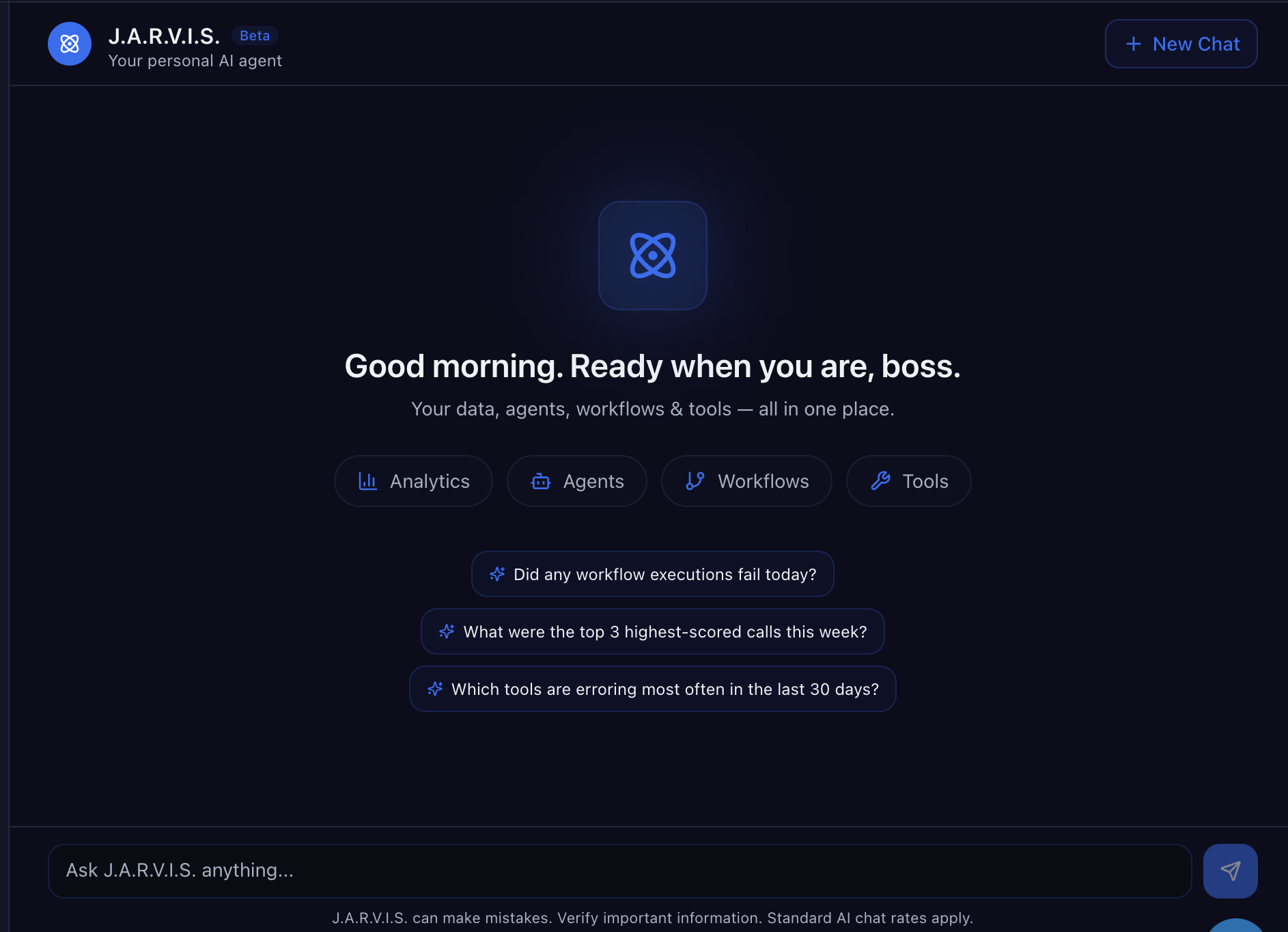 ## What You Can Do with J.A.R.V.I.S
Build new voice and chat agents, update prompts, and adjust tools without navigating across multiple screens.
Launch new campaigns, tweak automation logic, and roll out optimization changes quickly.
Pull key performance metrics across conversations, call outcomes, and campaign activity in one place.
Move from idea to launch with less manual setup and a centralized operational workflow.
## Typical J.A.R.V.I.S Workflow
Start with the objective (book appointments, re-engage no-answer leads, qualify inbound traffic, etc.).
Create or edit the required agents and workflows from one hub so everything stays aligned.
Activate campaign automations and start processing contacts across voice and chat channels.
Use J.A.R.V.I.S stats views to monitor outcomes and make iterative improvements.
## Best Practices
When you update campaign messaging, also review related workflow conditions and follow-up actions to avoid mismatches.
Roll out changes to a subset of traffic first, validate performance, then expand.
Review call and chat outcomes regularly and feed that data back into prompts, tools, and branching logic.
## Related Docs
Get your first campaign live quickly
Configure voice agents that J.A.R.V.I.S can manage
Build campaign logic and automation sequences
## What You Can Do with J.A.R.V.I.S
Build new voice and chat agents, update prompts, and adjust tools without navigating across multiple screens.
Launch new campaigns, tweak automation logic, and roll out optimization changes quickly.
Pull key performance metrics across conversations, call outcomes, and campaign activity in one place.
Move from idea to launch with less manual setup and a centralized operational workflow.
## Typical J.A.R.V.I.S Workflow
Start with the objective (book appointments, re-engage no-answer leads, qualify inbound traffic, etc.).
Create or edit the required agents and workflows from one hub so everything stays aligned.
Activate campaign automations and start processing contacts across voice and chat channels.
Use J.A.R.V.I.S stats views to monitor outcomes and make iterative improvements.
## Best Practices
When you update campaign messaging, also review related workflow conditions and follow-up actions to avoid mismatches.
Roll out changes to a subset of traffic first, validate performance, then expand.
Review call and chat outcomes regularly and feed that data back into prompts, tools, and branching logic.
## Related Docs
Get your first campaign live quickly
Configure voice agents that J.A.R.V.I.S can manage
Build campaign logic and automation sequences