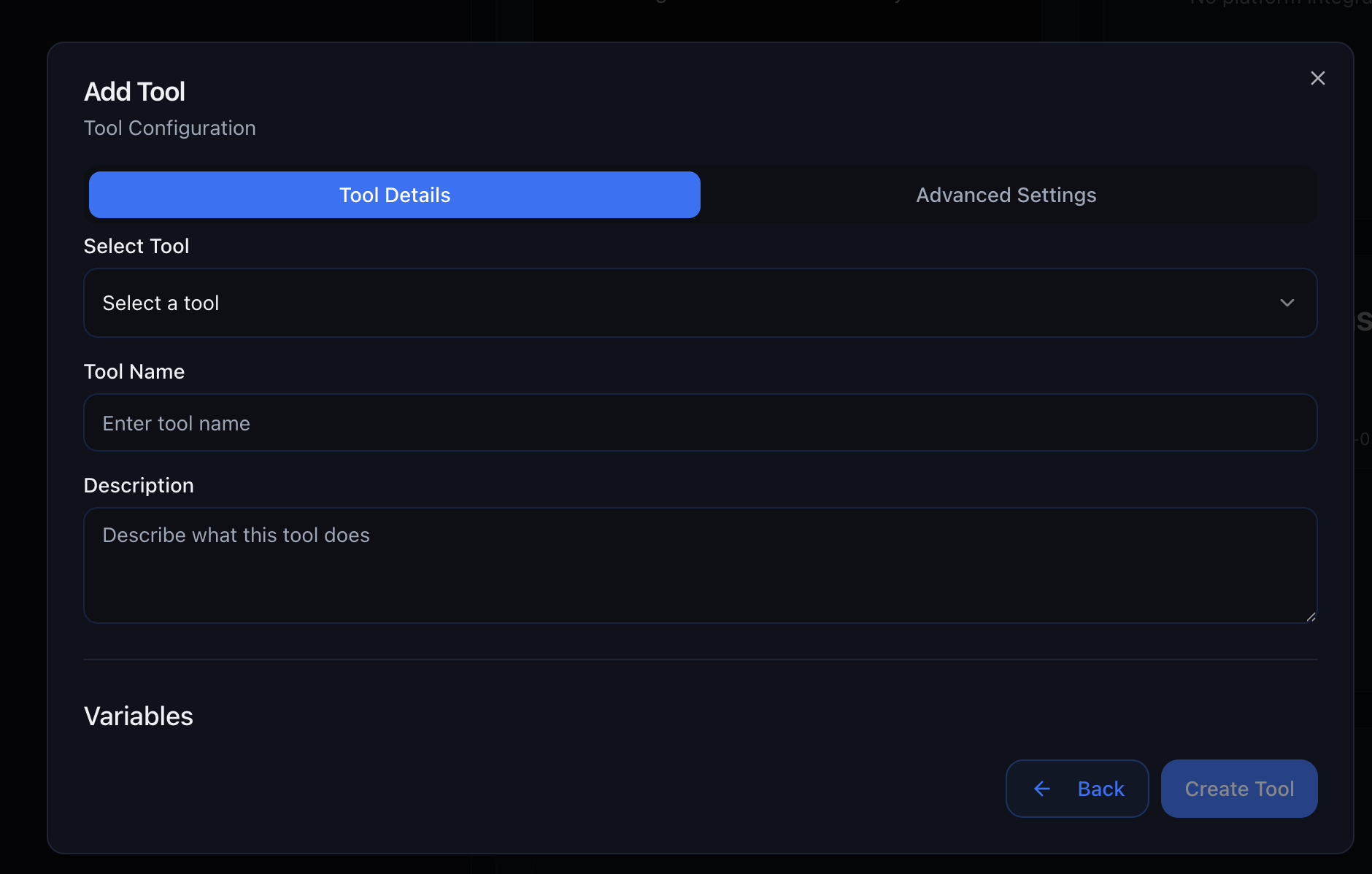
Overview

The Tool Library provides ready-made integrations that your AI agents can use during conversations. No coding required—just add the tool, configure the settings, and your agent can book appointments, send messages, fetch data, and more.
How it works: When you add a tool to your agent, it becomes available for the agent to call during conversations. The agent decides when to use each tool based on your prompt instructions.

Variables vs Configurations

Understanding the difference between variables and configurations is key to using tools effectively.

Variables

Filled by the agent during the conversation The agent gathers this information from the customer and passes it to the tool. Examples: - Customer’s name - Preferred appointment time - Email address - Phone number

Configurations

Preset when you add the tool You configure these once, and they stay the same for every call/chat. Examples: - API keys - Calendar IDs - Default timezone - Integration credentials
Example: When using the “Fetch Free Slots” tool:
  • Configuration: You set the Calendar ID once (which calendar to check)
  • Variables: The agent fills in the start_date and timezone during each conversation

Commonly used tools that work across all industries.
Allow your agents to schedule callbacks—the agent will automatically call the user back at the specified time.
Example first message: “Hi again! This is Sarah from Elite Fitness calling back as promised. Do you have a minute now?”
Get the current time for any timezone in ISO 8601 format.
Send text messages directly from your agent using your Twilio account.
Remember: US SMS requires A2P registration. See the Telephony guide for details.
Send emails directly from your agent using SendGrid.
Use a verified sender email in SendGrid for better deliverability!
Calculate estimated savings from switching to solar based on monthly electricity bill and address.
US Only: This tool uses US solar data and pricing. Not accurate for other countries.

GoHighLevel

GoHighLevel Integration

Tools for integrating with your GoHighLevel CRM and calendars.
Find or create a contact in GoHighLevel to use for appointment booking and other functions.
Best practice: Use this tool at the start of your conversation flow to get the contact ID, then pass that ID to other GHL tools.
Fetch a list of available appointment slots for a GoHighLevel calendar within a specific time range.
Retrieve a list of appointments already booked for a specific contact.
Cancel or reschedule a specific GoHighLevel appointment to a later date.

Cal.com

Cal.com Integration

Tools for managing appointments with Cal.com calendars.
Fetch available appointment slots between two dates for a specific Cal.com event type.
Get a list of bookings for a specific user so you can reschedule or cancel them.
Cancel or reschedule a booking made in Cal.com.

MCP Application Integrations

Connect to 60+ popular applications through MCP application integrations. These applications are available as preset MCP servers—simply authenticate and select which tools you want your agent to access.
How it works: When you add an MCP application integration, you’ll authenticate your account and then choose specific tools/actions from that application. Your agent can then perform those actions during conversations. See the MCP Server section for detailed setup instructions.
AccuLynx

AccuLynx

Using the AccuLynx API, data can be seamlessly exchanged between AccuLynx and other applications for greater efficiency and productivity.
Schedule the initial appointment for a specific job in the AccuLynx system.
Create a new contact in the AccuLynx system with detailed information.
Create a new job in the AccuLynx system with the provided details.
Create a new lead in the AccuLynx system for residential roofing projects.
Retrieve a list of appointments from the calendar associated with a specific job.
Retrieve a list of calendars associated with the authenticated user or organization.
Add a company representative to a specific job within the AccuLynx system.

ActiveCampaign

ActiveCampaign

ActiveCampaign is a marketing automation and CRM platform enabling businesses to manage email campaigns, sales pipelines, and customer segmentation to boost engagement and drive growth.
Add a note to a contact in ActiveCampaign.
Add an existing contact to a specific automation in ActiveCampaign.
Add a secondary contact to an existing deal in ActiveCampaign.
Create a new account in ActiveCampaign.
Create a new contact in ActiveCampaign with the specified details.
Create a task associated with a contact in ActiveCampaign.
Create a new deal pipeline in ActiveCampaign.
Create a new deal task type in ActiveCampaign.
Delete an existing account in ActiveCampaign.
Delete an existing deal pipeline in ActiveCampaign.
Delete an existing deal stage in ActiveCampaign.
Find a specific contact in ActiveCampaign.
Find tasks associated with a specific contact in ActiveCampaign.
List all contacts in ActiveCampaign.
Manage tags for a contact in ActiveCampaign.
Subscribe or unsubscribe a contact from a list in ActiveCampaign.
Remove a contact from a specified automation in ActiveCampaign.
Create a custom website or application event in ActiveCampaign.
Update an existing account in ActiveCampaign.
Create a new account if it doesn’t exist or update an existing account in ActiveCampaign.

AgencyZoom

AgencyZoom

AgencyZoom is for the P&C insurance agent that’s looking to increase sales, boost retention and analyze agency & producer performance.
Update a lead’s lifecycle status in AgencyZoom.
Mark a task as completed in AgencyZoom.
Add a note to a customer’s profile in AgencyZoom.
Create a driver record for an opportunity in AgencyZoom.
Add a note to a lead in AgencyZoom.
Add a sales opportunity to a lead in AgencyZoom.
Create an insurance quote for a lead in AgencyZoom.
Create a new lead opportunity in AgencyZoom.
Add a vehicle record to an opportunity in AgencyZoom.
Create or update a business lead in AgencyZoom.
Create or update a lead in AgencyZoom.
Create a new task in AgencyZoom.
Delete a customer and all associated data in AgencyZoom.
Delete a file associated with a customer in AgencyZoom.
Delete a policy associated with a customer in AgencyZoom.
Delete a driver record in AgencyZoom.
Delete a file associated with a lead in AgencyZoom.
Delete an opportunity associated with a lead in AgencyZoom.
Delete a quote from a lead in AgencyZoom.
Delete an opportunity in AgencyZoom.
Delete a task in AgencyZoom.
Delete a vehicle record in AgencyZoom.
Retrieve drivers associated with an opportunity in AgencyZoom.
Retrieve recycling history for a lead in AgencyZoom.
Retrieve vehicles associated with an opportunity in AgencyZoom.
Retrieve AMS policy data for a customer in AgencyZoom.
Retrieve notes for a lead in AgencyZoom.
Retrieve quotes for a lead in AgencyZoom.
Retrieve tasks for a lead in AgencyZoom.
Retrieve policy details for a customer in AgencyZoom.
Retrieve comprehensive customer details in AgencyZoom.
Retrieve tasks for a customer in AgencyZoom.
Retrieve driver details in AgencyZoom.
Retrieve comprehensive lead details in AgencyZoom.
Retrieve opportunities for a lead in AgencyZoom.
Retrieve opportunity details in AgencyZoom.
Retrieve task details in AgencyZoom.
Retrieve vehicle details in AgencyZoom.
Retrieve email thread details in AgencyZoom.
Mark a lead as sold in AgencyZoom.
Reopen a completed task in AgencyZoom.
Search for customers in AgencyZoom.
Search email threads in AgencyZoom.
Search for leads in AgencyZoom.
Search for life and health insurance leads in AgencyZoom.
Search SMS threads in AgencyZoom.
Search for tasks in AgencyZoom.
Retrieve service tickets from AgencyZoom.
Retrieve detailed messages for a text thread in AgencyZoom.
Update driver details in AgencyZoom.
Update an opportunity for a lead in AgencyZoom.
Update a quote for a lead in AgencyZoom.
Update an opportunity in AgencyZoom.
Update a policy in AgencyZoom.
Update vehicle details in AgencyZoom.
Update a business lead in AgencyZoom.
Update customer information in AgencyZoom.
Update lead information in AgencyZoom.
Update a lead’s status by ID in AgencyZoom.
Update a task in AgencyZoom.

Airtable

Airtable

Airtable merges spreadsheet functionality with database power, enabling teams to organize projects, track tasks, and collaborate through customizable views, automation, and integrations for data management.
Create a new Airtable base with specified tables and fields.
Create a comment on a record in Airtable.
Create a new field in an Airtable table.
Create multiple records in an Airtable table.
Create a new record in an Airtable table.
Create a new table in an Airtable base.
Delete a comment from a record in Airtable.
Delete multiple records from an Airtable table.
Delete a record from an Airtable table.
Retrieve the schema for an Airtable base.
Retrieve a specific record from an Airtable table.
Retrieve information about the authenticated Airtable user.
List all accessible Airtable bases.
Retrieve all comments for a record in Airtable.
Retrieve records from an Airtable table with filtering and sorting.
Update multiple records in an Airtable table.
Update an existing record in an Airtable table.

Apollo

Apollo

Apollo provides CRM and lead generation capabilities, helping businesses discover contacts, manage outreach, and track sales pipelines for consistent customer relationship development.
Create a new account in Apollo.io.
Create a new contact in Apollo.io.
Create a new sales opportunity (deal) in Apollo.io.
Create tasks in Apollo.io.
Retrieve all labels from Apollo.io.
Retrieve opportunity stages from Apollo.io.
Retrieve job postings for an organization in Apollo.io.
Retrieve custom field definitions from Apollo.io.
Retrieve all account stages from Apollo.io.
Retrieve all contact stages from Apollo.io.
Retrieve deals from Apollo.io.
Retrieve all users from Apollo.io.
Enrich organization data from Apollo.io.
Enrich person data from Apollo.io.
Search for accounts in your Apollo.io database.
Search for contacts in Apollo.io.
Search for tasks in Apollo.io.
Update an account in Apollo.io.
Update a contact in Apollo.io.
Update contact ownership in Apollo.io.
Update contact stage in Apollo.io.
Update contact status in an Apollo sequence.
Update a deal in Apollo.io.

Asana

Asana

Tool to help teams organize, track, and manage their work.
Add followers to a task in Asana.
Add a task to a section in Asana.
Create a new project in Asana.
Create a new tag in a workspace.
Create a new task in Asana.
Create a new custom field in a workspace.
Create a status update on a project.
Create a new section in a project.
Create a subtask under a parent task.
Add a comment to a task.
Delete a custom field from Asana.
Delete a project in Asana.
Delete a tag from Asana.
Delete a task in Asana.
Duplicate a task in Asana.
Retrieve a specific project by GID.
Retrieve full details for a task.
Retrieve the authenticated user’s record.
Retrieve a single custom field by GID.
Get all custom fields in a workspace.
Retrieve a list of projects.
Retrieve a list of tasks.
Retrieve a list of users.
Retrieve portfolio memberships.
Retrieve project memberships.
Get projects for a specific team.
Retrieve a single project status update.
Get status updates for a project.
Retrieve a single section by GID.
Retrieve all sections in a project.
Get stories (comments, updates) for a task.
Get a single tag by GID.
Get multiple tags in a workspace.
Retrieve tasks from a project.
Retrieve subtasks from a workspace.
Retrieve task templates from a workspace.
Retrieve details of a specific team.
Retrieve team membership records.
Search objects via typeahead.
Get a user by their ID.
Get users in a team.
Get users in a workspace or organization.
Retrieve workspace memberships.
Retrieve projects for a workspace.
Remove followers from a task.
Search tasks with advanced filters.
Update an existing task.
Update a custom field.
Update a project.
Update an existing tag.

BambooHR

BambooHR

BambooHR is an American technology company that provides human resources software as a service.
Associate an employee with a benefit group in BambooHR.
Create or update an employee benefit in BambooHR.
Create a dependent for an employee in BambooHR.
Update employee withholding information in BambooHR.
Update direct deposit information for an employee.
Add a time tracking record for an employee.
Add a comment to a job application.
Add a time off history item retroactively.
Add or update a time off request.
Create a new employee record in BambooHR.
Create a new job application in BambooHR.
Create a training record for an employee.
Create a new job opening in BambooHR.
Add a row to an employee’s table in BambooHR.
Clock in an employee in BambooHR.
Clock out an employee in BambooHR.
Adjust an employee’s time off balance.
Retrieve goal alignment options for an employee.
Retrieve employees with whom goals can be shared.
Check if an employee can create goals.
Update the status of a job application.
Update the status of a time-off request.
Delete employee withholding information.
Delete direct deposit account information.
Record a clock-in event for an employee.
Record clock-out time for an employee.
Record clock-out with location data.
Mark a goal as completed or closed.
Create a new goal for an employee.
Post a comment on an employee’s goal.
Delete a time tracking entry.
Delete an employee training record.
Delete an employee goal.
Delete a comment on an employee’s goal.
Delete a row from an employee’s table.
Update an existing time tracking record.
Edit the current clock-in entry.
Update a row in a custom table for an employee.
Retrieve time off calculator information.
Retrieve a specific clock entry.
Retrieve details about a company benefit.
Retrieve a specific daily time tracking entry.
Retrieve aggregated goal information.
Retrieve all company benefits.
Retrieve company benefit types.
Retrieve employee benefit information.
Retrieve list of employees currently out.
Retrieve all aggregated goal information for an employee.
Retrieve aggregated goal data (version 11).
Retrieve aggregated goal information (version 12).
Retrieve dependents for all employees.
Retrieve employee withholding information.
Retrieve employee direct deposit information.
Retrieve employee pay stub information.
Retrieve unpaid pay stubs for an employee.
Retrieve a specific time tracking record.
Retrieve details about a job application.
Retrieve a list of job applications.
Retrieve a specific timesheet for an employee.
Retrieve benefit coverages information.
Retrieve benefit deduction information.
Retrieve all deduction types.
Retrieve employees in benefit groups.
Retrieve benefit group plan costs.
Retrieve benefit group plans.
Retrieve all benefit groups.
Retrieve benefit plan coverages.
Retrieve employee plan details.
Retrieve all benefit plans.
Retrieve company locations.
Retrieve detailed employee information.
Retrieve employee deduction details.
Retrieve an employee’s dependent information.
Retrieve the employee directory.
Retrieve projects assigned to an employee.
Retrieve table data for an employee.
Retrieve comments on an employee’s goal.
Retrieve performance goals for an employee.
Retrieve goal status filters.
Retrieve goal status filters (version 11).
Retrieve hiring leads from ATS.
Retrieve job postings from ATS.
Retrieve projects available for time logging.
Retrieve applicant tracking statuses.
Retrieve tasks for a project.
Retrieve time off policy metadata.
Retrieve time off requests.
Retrieve available time off types.
Retrieve timesheet entries.
Retrieve specific timesheets by IDs.
Check if an employee is currently clocked in.
Retrieve training records for an employee.
Retrieve time off policies for an employee.
Retrieve time off policies (version 11).
Retrieve all training categories.
Retrieve training types.
Update a row in an employee’s table.
Reopen a closed goal.
Update an employee’s dependent information.
Update employee basic information.
Update an employee training record.
Update an employee goal.
Update a comment on an employee’s goal.
Update the progress of an employee’s goal.
Update goal sharing settings.
Update an employee goal with milestones (version 11).
Update a table row for an employee.

Brevo

Brevo

Brevo is an all-in-one marketing platform that helps businesses grow through email marketing, SMS, chat, and CRM tools.
Create a new company in your Brevo account.Description: This tool allows you to create a new company in your Brevo account.
Delete a company from Brevo.Description: Deletes a company from Brevo using its unique identifier.
Delete a contact from Brevo.Description: Deletes a contact from Brevo using its unique identifier.
Check if a contact exists in Brevo.Description: This tool checks if a contact exists in Brevo. It searches for a contact using either an email address or mobile number, with the email being prioritized if both are provided.
Retrieve all contacts from your Brevo account.Description: This tool retrieves all contacts from your Brevo account. It allows for pagination and filtering based on modification/creation dates, list IDs, segment IDs, and contact attributes.
Retrieve details of a specific company.Description: This tool retrieves the details of a specific company by its unique ID.
Retrieve detailed information about a specific contact.Description: This tool retrieves detailed information about a specific contact in Brevo. You can identify the contact using their email address (URL-encoded), their unique contact ID, or their SMS attribute value.
Retrieve a list of all companies in Brevo CRM.Description: This action retrieves a list of all companies stored in the Brevo CRM. It supports pagination and filtering by name and other attributes.

BILL

BILL

BILL is a leading provider of cloud-based software that simplifies, digitizes, and automates back-office financial processes for small and mid-sized businesses. Our customers come from all industries, ranging from startups to established brands and nonprofits to franchises.
Accept a network invitation that was sent to the organization by a vendor or customer. When the invitation is accepted, the organization is connected with the vendor or customer in the BILL network. See BILL network in the Guides section for more information, sample requests, and responses.
Approve or deny a reimbursement.
Archive an existing bill. In the response, the archived field is set as true. You can restore an archived bill with POST /v3/bills/{billId}/restore. There is no change when you archive an archived bill.
Archive an existing customer. In the response, the archived field is set as true. You can restore an archived customer with POST /v3/customers/{customerId}/restore. There is no change when you archive an archived customer.
Archive an existing invoice. In the response, the archived field is set as true. You can restore an archived invoice with POST /v3/invoices/{invoiceId}/restore. There is no change when you archive an archived invoice.
Archive an existing item. In the response, the archived field is set as true.
Archive a recurring bill. In the response, the archived field is set as true. You can restore an archived recurring bill with POST /v3/recurringbills/{recurringbillId}/restore. There is no change when you archive an archived recurring bill. When a recurring bill is modified, all future bills are automatically changed.
Archive an existing vendor. In the response, the archived field is set as true. You can restore an archived vendor with POST /v3/vendors/{vendorId}/restore. There is no change when you archive an archived vendor.
Cancel an existing payment. You can attempt to cancel a payment with POST /v3/payments/{paymentId}/cancel based on a set of conditions. See Payment cancelation and void cut-off timing in the BILL Help Center to learn about the BILL cancel payment process and timing. If the conditions are not met, you cannot cancel the payment. At that point, you can attempt to void the payment with POST /v3/payments/{paymentId}/void.
Create a new bank account. The currently signed-in user must have the ADMINISTRATOR user role in the BILL organization to perform this operation. BILL sends an email notification for informing you about changes to your funding accounts. Note: When you create a bank account, BILL sends a test ACH payment to the bank account to confirm whether the account details are accurate. In the response, three fields are set to their default values. * The bank account status is set as PENDING. You can verify t
Create a new bill. See Bills in the Guides section for more information, sample requests, and responses.
Create a new customer. See Customers in the Guides section for more information, sample requests, and responses.
Create a new invoice. See Invoices in the Guides section for more information, sample requests, and responses.
Create a new item.
Create a payment. See Get list of vendor payment options to get details about vendor payment options and payment process dates. Note: Creating a payment requires an MFA-trusted API session. See MFA setup for information about the BILL MFA process. See Payments in the Guides section for more information, sample requests, and responses.
Create a recurring bill. See Recurring bills in the Guides section for more information, sample requests, and responses.
Create a reimbursement
Creates a new vendor in the Bill.com system with comprehensive details for invoicing and payment processing. This endpoint allows you to set up a vendor’s basic information, address, payment preferences, tax details, and auto-pay settings. It’s particularly useful when onboarding new suppliers or updating existing vendor information en masse. The endpoint requires at minimum the vendor’s name and address, but allows for extensive customization of payment terms, currencies, and automated payment rules.
Create a vendor bank account for an existing vendor. To update vendor bank account information, you must first delete the existing vendor bank account (with DELETE /v3/vendors/{vendorId}/bank-account), and then create a new vendor bank account (with POST /v3/vendors/{vendorId}/bank-account) with the updated information. Note: When you add vendor bank account information, BILL requires 2 business days to complete a one-time verification of the bank account.
Delete a specified reimbursement.
Delete the existing vendor bank account for a vendor. To update vendor bank account information, you must first delete the existing vendor bank account (with DELETE /v3/vendors/{vendorId}/bank-account), and then create a new vendor bank account (with POST /v3/vendors/{vendorId}/bank-account) with the updated information.
Delete an existing network connection with a customer. In addition, use this endpoint to cancel a pending customer connection invite. You can send a new connection invitation after an existing connection or invitation is canceled. Note: If the invited customer does not respond to an invitation for 60 days, the invitation expires. See BILL network in the Guides section for more information, sample requests, and responses.
Delete an existing network connection with a vendor. In addition, use this endpoint to cancel a pending vendor connection invite. You can send a new connection invitation after an existing connection or invitation is canceled. Note: If the invited vendor does not respond to an invitation for 60 days, the invitation expires. See BILL network in the Guides section for more information, sample requests, and responses.
Get details about an existing bank account.
Get details about an existing bill.
Get a list of card funding purpose values based on the vendor and card brand. When you create a payment (POST /v3/payments or POST /v3/payments/bulk) with a CARD_ACCOUNT funding account type, BILL requires a vendor industry value for compliance. When BILL cannot identify the vendor industry, the cardFundingPurpose field must be set in your payment request. Use this endpoint to get the list of card funding purpose values you can set.
Get images of an existing check sent to a vendor. From the response, use downloadLink in a GET request to download the front and back images of the check. curl '{downloadLink}&sessionId={session_id}' --output {check_name}
Get details about an existing customer.
Get the status of an existing invitation sent with POST /v3/network/invitation/customer/{customerId}. When the customer accepts the invitation, your organization is connected with the customer. Note: If the invited customer does not respond to an invitation for 60 days, the invitation expires. See BILL network in the Guides section for more information, sample requests, and responses.
Get international payments (not USD) configuration that is required for compliance with international payment rules of a vendor country and vendor bank account. This information is based on vendor country, bill currency, and vendor account type. Use this endpoint for getting information before creating an international vendor. In the response, the required paymentPurpose and regulatoryFields information is retrieved for the vendor.
Get details about an existing invoice.
Get details about an existing item.
Get a list of bank account objects. By default, you get 20 results on one page of results. Set max in your request to get up to 100 results on one page. See Search operations with lists in the Guides section for filtering, sorting, and pagination examples.
Get a list of bill objects. By default, you get 20 results on one page of results. Set max in your request to get up to 100 results on one page. See Search operations with lists in the Guides section for filtering, sorting, and pagination examples.
Get a list of customer objects. By default, you get 20 results on one page of results. Set max in your request to get up to 100 results on one page. See Search operations with lists in the Guides section for filtering, sorting, and pagination examples.
Get a list of invoice objects. By default, you get 20 results on one page of results. Set max in your request to get up to 100 results on one page. See Search operations with lists in the Guides section for filtering, sorting, and pagination examples.
Get a list of item objects. By default, you get 20 results on one page of results. Set max in your request to get up to 100 results on one page. See Search operations with lists in the Guides section for filtering, sorting, and pagination examples.
Get a list of payment objects. By default, you get 20 results on one page of results. Set max in your request to get up to 100 results on one page. See Search operations with lists in the Guides section for filtering, sorting, and pagination examples.
Get a list of recurring bill objects. By default, you get 20 results on one page of results. Set max in your request to get up to 100 results on one page. See Search operations with lists in the Guides section for filtering, sorting, and pagination examples.
Get a list of reimbursement objects.
Get a list of transaction objects.
Get a list of vendor payment options available based on the funding account options available in the signed-in user’s BILL organization and on the payment methods accepted by a vendor. See Vendor payment options in the Guides section for more information, sample requests, and responses.
Get a list of vendor objects. By default, you get 20 results on one page of results. Set max in your request to get up to 100 results on one page. See Search operations with lists in the Guides section for filtering, sorting, and pagination examples.
Get details about an existing payment.
Get details about an existing recurring bill.
Get details about a specified reimbursement.
Get details about an existing transaction.
Get details about an existing vendor bank account.
Get international payments (not USD) configuration after vendor creation. This configuration is required for compliance with international payment rules of a vendor country and vendor bank account. In the response, the required paymentPurpose and regulatoryFields information is retrieved for the vendor.
Get details about an existing vendor.
Get the status of an existing invitation sent with POST /v3/network/invitation/vendor/{vendorId}. When the vendor accepts the invitation, your organization is connected with the vendor. Note: If the invited vendor does not respond to an invitation for 60 days, the invitation expires. See BILL network in the Guides section for more information, sample requests, and responses.
Send an invitation to connect a customer created in your organization with a customer in the network. BILL sends an invitation email to the customer email address. When the customer accepts the invitation, the customer in your organization is connected with the invited customer. If the invited customer does not respond, delete the invitation (with DELETE /v3/network/invitation/customer/{customerId}) before sending a new invitation.
Send an invitation to connect a vendor created in your organization with a vendor in the network. BILL sends an invitation email to the vendor email address. When the vendor accepts the invitation, the vendor in your organization is connected with the invited vendor. If the invited vendor does not respond, delete the invitation (with DELETE /v3/network/invitation/vendor/{vendorId}) before sending a new invitation.
Record an invoice payment received outside your BILL system. Apply the recorded payment amount to one or more invoices for a customer. Any recorded unapplied amount is an overpayment and is available as a customer balance in your BILL system. See Recording an AR payment in the Guides section for more information, sample requests, and responses.
Update the number of line items in a bill. You can also update other bill details. You can use the PUT operation to add, remove, or replace the number of line items in a bill. A set of rules apply with the PUT operation. * When you add a new line item, a new line item id is generated in the bill. * When you omit an existing line item id, the line item is removed from the bill.
Update the number of line items in an invoice. You can also update other invoice details. You can use the PUT operation to add, remove, or replace the number of line items in an invoice. A set of rules apply with the PUT operation. * When you add a new line item, a new line item id is generated in the invoice. * When you omit an existing line item id, the line item is removed from the invoice.
Update the number of line items in a recurring bill. You can also update other recurring bill details. You can use the PUT operation to add, remove, or replace the number of line items in a recurring bill. A set of rules apply with the PUT operation. * When you add a new line item, a new line item id is generated in the bill. * When you omit an existing line item id, the line item is removed from the bill. When a recurring bill is modified, all future bills are automatically changed.
Restore an archived bill. In the response, the archived field is set as false. You can perform any valid BILL operation on restored bills. There is no change when you restore a restored bill.
Restore an archived customer. In the response, the archived field is set as false. You can perform any valid BILL operation on restored customers. There is no change when you restore a restored customer.
Restore an archived invoice. In the response, the archived field is set as false. You can perform any valid BILL operation on restored invoices. There is no change when you restore a restored invoice.
Restore an archived item. In the response, the archived field is set as false.
Restore an archived recurring bill. In the response, the archived field is set as false. You can perform any valid BILL operation on restored recurring bills. There is no change when you restore a restored recurring bill. When a recurring bill is modified, all future bills are automatically changed.
Restore an archived vendor. In the response, the archived field is set as false. You can perform any valid BILL operation on restored vendors. There is no change when you restore a restored vendor.
Search for a customer, vendor, or verified national vendor. You can search in the BILL network and verified national vendor network. When you search in the BILL network, there are two name requirements for getting search results. * Your search term must have a minimum of three characters. * Your search term must be a complete word. You will not get search results when your search term is a partial word.
Send an invoice to a customer email address. You can send the invoice to multiple email addresses. See Invoices in the Guides section for more information, sample requests, and responses.
Update details about an existing bank account. This operation follows a set of rules. * Bank account status requirement: The bank account status must be set as VERIFIED before you can update any details about the bank account. You can verify the bank account with POST /v3/funding-accounts/banks/{bankAccountId}/verify. * Update field restrictions: You cannot update the routingNumber, accountNumber, and account type values for a bank account. If you want to update any of these values, cr
Update details about a bill line item. You can also update other bill details. You can use the PATCH operation to modify line item details, such as amount and description. The bill line item id does not change with a PATCH operation.
Update details about an existing customer.
Update details about an invoice line item. You can also update other invoice details. You can use the PATCH operation to modify line item details, such as amount, quantity, and description. The invoice line item id does not change with a PATCH operation.
Update details about an existing item.
Update details about a recurring bill line item. You can also update other recurring bill details. You can use the PATCH operation to modify line item details, such as amount and description. The recurring bill line item id does not change with a PATCH operation. When a recurring bill is modified, all future bills are automatically changed.
Update a reimbursement
Update details about an existing vendor. ### Requirements for enabling vendor payments Vendor address details are required for paying a vendor by check or for inviting the vendor to join the BILL network. * line1 * city * zipOrPostalCode * country * payeeName Note: You cannot add or update vendor bank account information with this endpoint. You can add and manage vendor bank account information with a dedicated set of endpoints.
Update a transaction
Void an existing payment. Void a bill payment that has started processing and cannot be canceled (with POST /v3/payments/{paymentId}/cancel). You can attempt to void payments made both with BILL (online) and outside BILL (offline). ### Void a payment made with BILL (online) In your /POST /v3/payments/{paymentId}/void request: * Set paymentId as the BILL-generated ID of the payment. The value begins with stp.

Cal.com

Cal.com

Cal simplifies meeting coordination by providing shareable booking pages, calendar syncing, and availability management to streamline the scheduling process.
Cancel an existing booking in Cal.com.Description: Cancels an existing and active Cal.com booking using its unique identifier (UID).
Check calendar availability.Description: Retrieves free/busy availability for a specified calendar to aid scheduling without revealing event details; requires an existing, accessible calendar, noting that data granularity can vary.
Schedule a phone call event in Cal.com.Description: Schedules a phone call event in Cal.com using existing eventType, organization, and team IDs; this action only registers the event details and does not initiate the actual phone call.
Retrieve a list of bookings.Description: Fetches a list of bookings, optionally filtered by status, attendee, date range, or by event/team IDs (which must belong to/include the authenticated user respectively), with support for pagination and sorting.
Retrieve Cal.com event types.Description: Retrieves Cal event types, filterable by username (required if eventSlug is provided), multiple usernames, or organization details (orgSlug or orgId).
Create a new booking in Cal.com.Description: Creates a new booking for an active event type, scheduling it for a specified start time (preferably in the future) with primary attendee details and optional customizations.
Reschedule an existing booking.Description: Reschedules an existing booking (identified by bookingUid) to a new time, provided the new slot’s availability is confirmed beforehand; all other rescheduling parameters (e.g., new date, time) must be sent in the POST request body, not via this action’s direct parameters.

CalendarHero

CalendarHero

CalendarHero is a versatile scheduling tool designed to streamline and simplify your calendar management. It integrates seamlessly with your existing calendars, allowing you to efficiently schedule, reschedule, and manage meetings with ease.
Add a calendar integration to a user’s account.Description: Tool to add a calendar integration to a user’s account. Use after gathering provider credentials.
Create a new contact in CalendarHero.Description: Tool to create a new contact. Use after confirming contact details before making the API call.
Create a new meeting request in CalendarHero.Description: Tool to create a new meeting request in CalendarHero. Use when scheduling a meeting with participants, time range, and additional details.
Retrieve contact information.Description: Fetch Contact
Fetch details for meetings within a timeframe.Description: Tool to fetch details for meetings within a specified timeframe. Use this after user provides start and end datetimes in ISO8601.
Retrieve meetings within a timeframe.Description: Tool to retrieve the user’s meetings within a specified timeframe. Use after confirming date range to fetch raw calendar data.
List all available meeting templates.Description: Tool to list all meeting templates available for quick scheduling. Use after authenticating and when you need to retrieve available templates before scheduling.
Retrieve user’s configured meeting types.Description: Tool to retrieve the user’s configured meeting types. Use after authenticating with CalendarHero.
List all calendar integrations for a user.Description: Tool to list all calendar integrations connected to a user’s CalendarHero account. Use after authenticating when you need to retrieve available calendars for scheduling.
Search for existing contacts.Description: Tool to search for existing contacts. Use after confirming a need to find contacts by email or name.
Send a reminder to a contact about their meeting.Description: Tool to send a reminder to a contact about their scheduled meeting. Use after confirming the meeting task ID to notify participants.
Update details of an existing contact.Description: Tool to update details of an existing contact. Use when you have the contact’s ID and want to apply changes. Example: ‘Update contact 507f1f77bcf86cd799439011 with a new email.‘

Calendly

Calendly

Calendly is an appointment scheduling tool that automates meeting invitations, availability checks, and reminders, helping individuals and teams avoid email back-and-forth.
Cancel an existing scheduled event.Description: Permanently cancels an existing, active scheduled event by its uuid, optionally providing a reason, which may trigger notifications to invitees.
Mark an invitee as a no-show.Description: Marks an Invitee, identified by their existing and valid URI, as a “No Show” for a scheduled event.
Create a temporary one-off event type.Description: Creates a temporary Calendly one-off event type for unique meetings outside regular availability, requiring valid host/co-host URIs, a future date/range for date_setting, and a positive duration.
Create a customizable share link for an event type.Description: Creates a customizable, one-time share link for a Calendly event type, allowing specific overrides to its settings (e.g., duration, availability, location) without altering the original event type.
Delete an invitee no-show record.Description: Deletes an Invitee No-Show record by its uuid to reverse an invitee’s “no-show” status; the uuid must refer to an existing record.
Delete scheduled event data (Enterprise only).Description: For Enterprise users, initiates deletion of an organization’s scheduled event data between a start_time and end_time (inclusive, where start_time must be less than or equal to end_time); actual data deletion may take up to 7 days to complete.
Retrieve current authenticated user information.Description: Retrieves detailed information about the currently authenticated Calendly user.
Retrieve a specific scheduled event.Description: Use to retrieve a specific Calendly scheduled event by its UUID, provided the event exists in the user’s Calendly account.
Retrieve invitee information for an event.Description: Retrieves detailed information about a specific invitee of a scheduled event, using their unique UUIDs.
Retrieve details for a specific event type.Description: Retrieves details for a specific Calendly event type, identified by its UUID, which must be valid and correspond to an existing event type.
Retrieve invitee no-show record details.Description: Retrieves details for a specific Invitee No Show record by its UUID; an Invitee No Show is marked when an invitee does not attend a scheduled event.
Retrieve comprehensive user details.Description: Retrieves comprehensive details for an existing Calendly user.
Retrieve user availability schedule.Description: Retrieves an existing user availability schedule by its UUID; this schedule defines the user’s default hours of availability.
Retrieve list of invitees for an event.Description: Retrieves a list of invitees for a specified Calendly event UUID, with options to filter by status or email, and sort by creation time.
Retrieve a list of scheduled events.Description: Retrieves a list of scheduled Calendly events; requires user, organization, group, or invitee_email for scope, and admin rights may be needed when filtering by organization or group.
Fetch available time slots for an event type.Description: Fetches available time slots for a Calendly event type within a specified time range; results are not paginated.
Retrieve hosts for an event type.Description: Retrieves a list of hosts (users) assigned to a specific, existing Calendly event type, identified by its URI.
Fetch user’s busy time intervals.Description: Fetches a user’s busy time intervals (internal and external calendar events) in ascending order for a period up to 7 days; keyset pagination is not supported.
Retrieve event types for a user or organization.Description: Retrieves event types for a user or organization; requires either the user or organization URI.

ClickUp

ClickUp

ClickUp unifies tasks, docs, goals, and chat in a single platform, allowing teams to plan, organize, and collaborate across projects with customizable workflows.
Add an existing tag to a task.Description: Adds an existing tag to a specified task; team_id is required if custom_task_ids is true.
Add a task to an additional list.Description: Adds an existing task to an additional ClickUp List; the “Tasks in Multiple Lists” ClickApp must be enabled in the Workspace for this.
Create a new time entry for a team.Description: Creates a new time entry for a specified team.
Create a new checklist in a task.Description: Creates a new checklist with a specified name within an existing task, which can be identified by its standard ID or a custom task ID (if custom_task_ids is true, team_id is also required).
Create a new checklist item.Description: Creates a new checklist item within a specified, existing checklist, optionally setting the item’s name and assigning it to a user.
Create a new list in a folder.Description: Creates a new list in ClickUp within a specified, existing folder.
Add a comment to a list.Description: Adds a new comment with specific text to an existing and accessible ClickUp List, assigns it to a user, and sets notification preferences for all list members.
Create a new task in a list.Description: Creates a new ClickUp task in a specific list, optionally as a subtask if a parent task ID (which cannot be a subtask itself and must be in the same list) is provided.
Add a comment to a task.Description: Adds a comment to a ClickUp task; team_id is required if custom_task_ids is true.
Create a task from a template.Description: Creates a new task in a specified ClickUp list from a task template, using the provided name for the new task.
Delete a time entry.Description: Deletes an existing time entry, specified by timer_id, from a Workspace identified by team_id.
Delete a checklist.Description: Permanently deletes an existing checklist identified by its checklist_id.
Delete a checklist item.Description: Permanently deletes an existing item, identified by checklist_item_id, from an existing checklist, identified by checklist_id.
Delete a comment from a task.Description: Deletes an existing comment from a task using its comment_id.
Delete a goal.Description: Permanently removes an existing Goal, identified by its goal_id, from the Workspace.
Delete a task.Description: Permanently deletes a task, using its standard ID or a custom task ID (requires custom_task_ids=true and team_id).
Update a checklist.Description: Updates an existing checklist’s name or position, identified by its checklist_id.
Update a checklist item.Description: Updates an existing checklist item, allowing modification of its name, assignee, resolution status, or parent item for nesting.
Retrieve custom field definitions for a list.Description: Retrieves all accessible Custom Field definitions for a specified ClickUp List using its list_id.
Retrieve filtered tasks from a team.Description: Retrieves a paginated list of tasks (up to 100 per page) from a specified team (Workspace ID in team_Id) based on various filter criteria, respecting user access permissions.
Retrieve folder details.Description: Retrieves detailed information about a specific folder in ClickUp.
Retrieve lists not in folders.Description: Retrieves all Lists within a specified Space that are not located in any Folder.
Retrieve folders in a space.Description: Retrieves Folders within a specified ClickUp Space, ensuring space_id is valid, with an option to filter by archived status.
Retrieve goal details.Description: Retrieves detailed information for an existing ClickUp Goal, specified by its unique goal_id.
Retrieve goals for a workspace.Description: Retrieves goals for a specified ClickUp Workspace (Team); the team_id must be valid and accessible.
Retrieve list details.Description: Retrieves detailed information for an existing List in ClickUp, identified by its unique list_id.
Retrieve comments for a list.Description: Retrieves comments for a specific ClickUp List, supporting pagination using start (timestamp) and start_id (comment ID) to fetch earlier comments; omits them for the latest 25.
Retrieve list members.Description: Retrieves all members of a specific, existing ClickUp List by its ID.
Retrieve lists in a folder.Description: Retrieves all lists within a specified, existing ClickUp folder, optionally filtering by archived status.
Retrieve the active time entry.Description: Retrieves the currently active time entry for a user in a Workspace; a negative ‘duration’ in its data indicates it’s running, and the response may be empty if no entry is active.
Retrieve a specific time entry.Description: Fetches a specific time entry by its ID for a given team; a negative duration in the response indicates an active timer.
Retrieve space details.Description: Retrieves detailed information for an existing Space in a ClickUp Workspace, identified by its unique space_id.
Retrieve spaces for a team.Description: Retrieves Spaces for a Team ID; member information for private Spaces is returned only if the authenticated user is a member.
Retrieve tags for a space.Description: Retrieves all tags for tasks within a specified ClickUp Space, requiring a valid space_id.
Retrieve task details.Description: Retrieves comprehensive details for a ClickUp task by its ID, supporting standard or custom task IDs (requires team_id for custom IDs).
Retrieve comments for a task.Description: Retrieves up to 25 comments for a specified task, supporting pagination using start and start_id to fetch older comments.
Retrieve task members.Description: Retrieves users with explicit access (directly assigned or shared) to a specific existing task, excluding users with inherited permissions.
Retrieve tasks from a list.Description: Retrieves tasks from a specified ClickUp list; only tasks whose home is the given list_id are returned.
Retrieve time spent in each status.Description: Retrieves the duration a task has spent in each status, provided the “Total time in Status” ClickApp is enabled for the Workspace.
Retrieve task templates.Description: Retrieves task templates for a specified Workspace (Team ID), supporting pagination.
Retrieve time entries in a date range.Description: Retrieves time entries for a specified Team (Workspace ID) within a date range (defaults to the last 30 days for the authenticated user if dates are omitted); active timers are indicated by negative durations in the response.
Retrieve time entry modification history.Description: Retrieves the modification history for an existing time entry within a specific ClickUp Team (Workspace).
Retrieve tasks from a view.Description: Retrieves all tasks visible in a specified ClickUp view, respecting its applied filters, sorting, and grouping.
Remove a custom field value from a task.Description: Removes an existing value from a Custom Field on a specific task; this does not delete the Custom Field definition or its predefined options.
Remove a guest from a task.Description: Revokes a guest’s access to a specific task; only available for Workspaces on the ClickUp Enterprise Plan.
Remove a tag from a task.Description: Removes a tag from a specified task by disassociating it (does not delete the tag from Workspace), succeeding even if the tag is not on the task.
Remove a task from an additional list.Description: Removes a task from an extra list (not its home list); the “Tasks in Multiple Lists” ClickApp must be enabled.
Set or update a custom field value.Description: Sets or updates a Custom Field’s value for a task; the new value (with type-dependent structure, e.g., {"value": "text"} or {"value": 123, "value_options": {"currency_type": "USD"}}) is provided in the JSON request body.
Start a new time entry timer.Description: Starts a new time entry (timer) in the specified Team (Workspace), optionally associating it with a task, adding a description, setting billable status, or applying tags (tags feature requires Business Plan or higher).
Stop the active time entry.Description: Stops the authenticated user’s currently active time entry in the specified Team (Workspace), which requires an existing time entry to be running.
Update an existing time entry.Description: Updates an existing ClickUp time entry; provide start and end times together, and include team_id as a query param (request field team_id_1) if custom_task_ids is true.
Update a task comment.Description: Updates an existing task comment’s text, assignee (who must be a valid workspace member), or resolution status, requiring a valid existing comment_id.
Update a goal.Description: Updates attributes of an existing ClickUp goal, identified by its goal_id.
Update list attributes.Description: Updates attributes of an existing ClickUp list, such as its name, content, due date, priority, assignee, or color status, identified by its list_id.
Update task attributes.Description: Updates attributes of an existing task; team_id is required if custom_task_ids is true, use a single space (” ”) for description to clear it, and provide at least one modifiable field.

Close

Close

Close is a CRM platform designed to help businesses manage and streamline their sales processes, including calling, email automation, and predictive dialers. Available Tools:
Creates a new call record in Close.com. This tool allows you to log both inbound and outbound calls associated with a lead.
Creates a new lead in Close CRM with basic company information and optional contact details.
Creates a new SMS message in Close. The tool allows sending immediate SMS messages or logging received SMS messages.
Creates a new task in Close.com. Tasks are used to track to-do items and can be associated with leads.
Deletes a specific call activity in Close.com. Useful for removing incorrectly logged calls or cleaning up call records.
Cannot be undone: This action permanently deletes the call record and cannot be reversed.
Retrieves a list of note activities from Close. Allows users to fetch notes with optional filtering parameters.

Composio Search
Composio Search provides comprehensive web search across travel (flights, hotels, events), e-commerce (Amazon, Walmart, shopping), financial markets, news, academic research, images, and location services. Available Tools:
Search Amazon for products across different country marketplaces. This tool searches Amazon’s product catalog with support for multiple international Amazon domains/marketplaces.
Each Amazon domain serves different countries with local pricing, currency, shipping options, and product availability.
Perform web searches using DuckDuckGo search engine. Focuses on web information and details without tracking.
Search for upcoming events, concerts, festivals, conferences, and other activities. Finds local and global events with powerful filtering options.
Get real-time stock prices, market data, financial news, and company information with historical analysis.
Returns detailed graph data, summary information, and key events for 6M+ time windows.
Search for flights with comprehensive pricing, schedule, and airline information. Finds available flights between cities/airports with detailed pricing.
Perform location-specific searches using Google Maps. Fetches the most relevant location data based on the input query.
Search for hotels and vacation rentals with comprehensive filtering and pricing. Finds available accommodations with detailed information.
Search for products with advanced price filtering, location targeting, and deal discovery. Provides comprehensive product search across multiple retailers.
Perform advanced searches using Tavily LLM Search API. Accommodates complex queries with multiple filtering options for fine-tuned results.
Search TripAdvisor for travel recommendations and itinerary planning. Searches TripAdvisor’s comprehensive travel database for attractions, restaurants, hotels, tours, and activities.
Returns detailed information including ratings, reviews, photos, and traveler recommendations.
Search Walmart for products with price filtering. Searches Walmart’s product catalog including groceries, electronics, clothing, home goods, pharmacy, and auto services.
Perform general web searches and find relevant information. Searches the web for information on any topic.

Discord Bot

Discord Bot

Discordbot refers to automated programs on Discord servers, performing tasks like moderation, music playback, and user engagement to enhance community interactions. Available Tools:
Adds a user to a Discord group Direct Message (DM) channel.
Adds an emoji reaction from the authenticated user/bot to a specific message in a Discord channel.
This action does not return information about existing reactions on the message.
Creates a new invite for the specified Discord channel.
Requires ‘CREATE_INSTANT_INVITE’ permission for the channel.
Creates a new direct message (DM) channel or retrieves an existing one.
This action only establishes or fetches the channel and does not send messages.
Creates a new scheduled event in a Discord guild.
Event details depend on the entity_type - different types require different fields in the request body.
Sends a message to a specified Discord channel.
Requires SEND_MESSAGES permission and at least one of: content, embeds, sticker_ids, or attachments.
Permanently deletes a specific scheduled event from a Discord guild.
Irreversible: This action permanently deletes the event and cannot be undone.
Permanently deletes a message from a specified Discord channel.
Irreversible: This action permanently deletes the message and cannot be undone.
Removes a specific user’s emoji reaction from a message.
Requires ‘Manage Messages’ permission if deleting reactions from other users.
Retrieves detailed metadata for a specific Discord channel.
Returns only channel metadata, not message content or member lists.
Retrieves detailed information for a specific member of a Discord guild.
Requires the bot to belong to the guild and have necessary permissions (e.g., GUILD_MEMBERS intent).
Retrieves a specific scheduled event from a Discord guild by its ID.
Retrieves a specific message from a Discord channel.
Retrieves a member from a specified thread using their user ID.
Fetches public information for a Discord user.
Resolves a Discord invite code to get its details.
Visibility of some details may depend on bot permissions.
Joins the authenticated user to a thread specified by channel_id.
Use this when the user is not already a member, for archived threads, or for threads requiring explicit joining. The thread must be joinable, not locked or full, and the user must have permissions.
Fetches all active invites for a given Discord channel.
Requires channel invite view permissions. Response object structures may vary.
Fetches detailed information for all webhooks in a given Discord channel.
Retrieves members for a Discord guild.
Retrieves a list of scheduled events for a specified Discord guild.
Fetches users who have expressed interest in a specific scheduled event.
Retrieves historical messages from a specified Discord channel.
Messages are typically returned newest first. For real-time messages, use Discord’s WebSocket Gateway API.
Retrieves all currently pinned messages from a Discord channel.
Typically limited to 50 messages, and no history of past pins is returned.
Searches for members in a specific Discord guild, allowing filtering by a query string.
Unpins a message that is currently pinned in a specified Discord channel.
The message itself is not deleted, only unpinned.
Updates specified properties of a Discord application command.
Omitted properties remain unchanged. The options field, if provided, overwrites all existing options.
Updates attributes for an existing Discord guild event.
Only fields in the request body are changed.
Updates a message previously sent by the bot in a Discord channel.
Only provide fields to change. Use null or an empty list to clear existing values. New attachments cannot be uploaded.

Dynamics 365

Dynamics 365

Dynamics 365 from Microsoft combines CRM, ERP, and productivity apps to streamline sales, marketing, customer service, and operations in one integrated platform. Available Tools:
Creates a new account entity record in Dynamics CRM using the Web API.
Creates a new case (incident) entity record in Dynamics CRM using the Web API.
Creates a new contact entity record in Dynamics CRM using the Web API.
Creates a new invoice entity record in Dynamics CRM using the Web API.
Creates a new lead entity record in Dynamics CRM using the Web API.
Creates a new opportunity entity record in Dynamics CRM using the Web API.
Creates a new sales order entity record in Dynamics CRM using the Web API.
Retrieves a specific invoice from Dynamics CRM by its ID.
Retrieves a specific lead from Dynamics CRM by its ID.
Retrieves all lead records from Dynamics CRM.
Retrieves all invoice records from Dynamics CRM.
Updates an existing case (incident) entity record in Dynamics CRM using the Web API.
Updates an existing invoice entity record in Dynamics CRM using the Web API.
Updates an existing lead entity record in Dynamics CRM using the Web API.
Updates an existing opportunity entity record in Dynamics CRM using the Web API.
Updates an existing sales order entity record in Dynamics CRM using the Web API.

Freshdesk

Freshdesk

Freshdesk provides customer support software with ticketing, knowledge base, and automation features for efficient helpdesk operations and better customer experiences. Available Tools:
Creates a new ticket in Freshdesk.
Views an existing ticket in Freshdesk.
Retrieves a list of tickets from Freshdesk.
Lists all tickets in Freshdesk.
Updates an existing ticket in Freshdesk.
Replies to an existing ticket in Freshdesk.
Deletes an existing ticket in Freshdesk.
Irreversible: This action permanently deletes the ticket and cannot be undone.

Gmail

Gmail

Gmail is Google’s email service, featuring spam protection, search functions, and seamless integration with other G Suite apps for productivity. Available Tools:
Sends an email via Gmail API using the authenticated user’s Google profile display name.
At least one of recipient_email, cc, or bcc must be provided. At least one of subject or body must be provided. Set is_html=True if the body contains HTML.
Creates a Gmail email draft without sending it.
At least one of recipient_email, cc, or bcc must be provided. At least one of subject or body must be provided. Set is_html=True for HTML content.
Sends an existing draft email to its recipients.
Fetches a list of email messages from a Gmail account, supporting filtering, pagination, and optional full content retrieval.
Fetches a specific email message by its ID.
Retrieves messages from a Gmail thread using its thread ID.
Sends a reply within a specific Gmail thread using the original thread’s subject.
At least one of recipient_email, cc, or bcc must be provided.
Forwards an existing Gmail message to specified recipients, preserving original body and attachments.
Retrieves a list of email threads from a Gmail account, supporting filtering and pagination.
Retrieves a paginated list of email drafts from a user’s Gmail account.
Use verbose=true to get full draft details including subject, body, sender, and timestamp.
Retrieves a list of all system and user-created labels for the specified Gmail account.
Adds and/or removes specified Gmail labels for a message.
Ensure message_id and all label_ids are valid. Use ‘List Labels’ for custom label IDs.
Adds or removes specified existing label IDs from a Gmail thread, affecting all its messages.
Ensure the thread ID is valid. This affects all messages in the thread.
Fetches contacts (connections) for the authenticated Google account, allowing selection of specific data fields and pagination.
Retrieves either a specific person’s details or lists ‘Other Contacts’, with person_fields specifying the data to return.
Searches contacts by matching the query against names, nicknames, emails, phone numbers, and organizations.

Google Calendar

Google Calendar

Google Calendar is a time management tool providing scheduling features, event reminders, and integration with email and other apps for streamlined organization. Available Tools:
Create a Google Calendar event using start_datetime plus duration fields to derive the end time.
Example: Create a 1 hour 30 minute event: {"calendar_id": "primary", "start_datetime": "2025-01-16T13:00:00", "timezone": "America/New_York", "event_duration_hour": 1, "event_duration_minutes": 30, "summary": "Client sync", "attendees": [{"email": "[email protected]"}]}
Requires calendar write access. The organizer is added as an attendee unless exclude_organizer is True.
Parses natural language text to quickly create a basic Google Calendar event with its title, date, and time.
Suitable for simple scheduling only. Does not support direct attendee addition or recurring events. Calendar ID must be valid if not ‘primary’.
Updates an existing event by event_id in a Google Calendar using full PUT replacement.
This is a full PUT replacement—provide all desired fields as unspecified ones may be cleared or reset.
Update specified fields of an existing event in a Google Calendar using patch semantics.
Array fields like attendees are fully replaced if provided. Ensure calendar_id and event_id are valid and user has write access.
Deletes a specified event by event_id from a Google Calendar.
Irreversible: This action permanently deletes the event. This action is idempotent and raises a 404 error if the event is not found.
Returns events on the specified calendar.
Finds events in a specified Google Calendar using text query, time ranges, and event types.
Ensure timeMin is not chronologically after timeMax if both are provided.
Returns instances of the specified recurring event.
Moves an event to another calendar, i.e., changes an event’s organizer.
Removes an attendee from a specified event in a Google Calendar.
Finds both free and busy time slots in Google Calendars for specified calendars within a defined time range.
Returns busy intervals enriched with event details and calculates free slots by finding gaps between busy periods. Defaults to the current day UTC if time_min/time_max are omitted.
time_min must precede time_max if both are provided.
Returns free/busy information for a set of calendars.
Retrieves a paginated list of calendars from the user’s calendar list.
Retrieves a specific Google Calendar, identified by calendar_id.
Gets the current date and time, allowing for a specific timezone offset.

Google Maps

Google Maps

Integrate Google Maps to access location data, geocoding, directions, and mapping services in your application. Available Tools:
Calculates one or more routes between two specified locations using various travel modes and preferences.
Addresses must be resolvable by Google Maps.
Calculates travel distance and duration matrix between multiple origins and destinations using the modern Routes API.
Supports OAuth2 authentication and various travel modes. Useful for comparing multiple origin-destination pairs.

Google Sheets

Google Sheets

Google Sheets is a cloud-based spreadsheet tool enabling real-time collaboration, data analysis, and integration with other Google Workspace apps. Available Tools:
Retrieves comprehensive metadata for a Google Spreadsheet using its ID, excluding cell data.
Lists all worksheet names from a specified Google Spreadsheet.
Useful for discovering sheets before further operations. The spreadsheet must exist.
Finds a worksheet by its exact, case-sensitive title within a Google Spreadsheet.
Returns a boolean indicating if found and the complete metadata of the entire spreadsheet, regardless of whether the target worksheet is found.
Search for Google Spreadsheets using various filters including name, content, date ranges, and more.
Returns the spreadsheet at the given ID, filtered by the specified data filters.
Use this tool when you need to retrieve specific subsets of data from a Google Sheet based on criteria like A1 notation, developer metadata, or grid ranges.
Gets the schema of a table in a Google Spreadsheet, analyzing table structure and inferring column names, types, and constraints.
Important: Call this action BEFORE you query the table. Uses statistical analysis of sample data to determine the most likely data type for each column. Call this after calling the LIST_TABLES action.
Execute SQL-like SELECT queries against spreadsheet tables.
Important: Call GET_TABLE_SCHEMA action first to query a table in a spreadsheet. Supports WHERE conditions, ORDER BY, and LIMIT clauses.
Execute SQL queries against Google Sheets tables. Supports SELECT, INSERT, UPDATE, and DELETE operations.
Tables are automatically detected and mapped from the spreadsheet structure. Supports SELECT, INSERT, UPDATE, and DELETE operations.
Finds the first row in a Google Spreadsheet where a cell’s entire content exactly matches the query string.
Searches for rows where a specific column matches a value and performs mathematical operations on data from another column.
Tool to append values to a spreadsheet. Adds new data to the end of an existing table.
Inserts a new, empty row into a specified sheet of a Google Spreadsheet at a given index.
Creates a new column in a Google Spreadsheet.
Requires a valid spreadsheet_id and an existing sheet_id. An out-of-bounds insert_index may append/prepend the column.
Tool to delete specified rows or columns from a sheet in a Google Spreadsheet.
Tool to delete a sheet (worksheet) from a spreadsheet.
Irreversible: This action permanently deletes the sheet and cannot be undone.
Tool to find and replace text in a Google Spreadsheet.
Tool to update properties of a spreadsheet, such as its title, locale, or auto-recalculation settings.
Tool to update properties of a sheet (worksheet) within a Google Spreadsheet.

Gorgias

Gorgias

Gorgias is a helpdesk and live chat platform specializing in e-commerce, offering automated support, order management, and unified customer communication. Available Tools:
Creates a new customer in Gorgias.
Retrieves a specific customer from Gorgias.
Lists customers in Gorgias with various filtering options.
Updates an existing customer in Gorgias.
Sets the complete data object for a customer in Gorgias.
Deletes a specific customer from Gorgias.
Irreversible: This action permanently deletes the customer and cannot be undone.
Merges two customers in Gorgias, combining their data and history.
Irreversible: This action merges customers and cannot be undone. All data from the source customer will be combined into the target customer.
Lists all field values for a customer in Gorgias.
Deletes a specific field value for a customer in Gorgias.
Creates a new ticket in Gorgias.
Retrieves a specific ticket from Gorgias.
Lists tickets in Gorgias with various filtering options.
Updates an existing ticket in Gorgias.
Deletes a specific ticket from Gorgias.
Irreversible: This action permanently deletes the ticket and cannot be undone.
Adds tags to a ticket in Gorgias.
Removes tags from a ticket in Gorgias.
Sets the complete list of tags for a ticket in Gorgias.
This replaces all existing tags with the provided list.
Lists all tags for a ticket in Gorgias.
Lists all field values for a ticket in Gorgias.
Deletes a specific field value for a ticket in Gorgias.
Retrieves a specific event from Gorgias.
Lists events in Gorgias with various filtering options.

HelpDesk

HelpDesk

HelpDesk is a ticketing system designed to streamline customer support by organizing and managing inquiries efficiently. Available Tools:
Tool to list agents. Retrieves all agents on the account.
Tool to retrieve details of a specific agent (v1).
Use after confirming agent ID.
Tool to list all teams for the authenticated Helpdesk account.
Use after providing valid credentials to retrieve team IDs, names, and settings. Example: “List all teams”.
Tool to list contacts. Retrieves contacts with optional filters and pagination.
Tool to list tickets with cursor-based pagination.
Use when you need to fetch multiple pages of tickets after setting your cursor and sort parameters.
Tool to list agent views. Retrieves saved ticket views.
Use when you need to retrieve saved ticket views after authentication.
Tool to list canned responses. Retrieves all predefined reply templates for tickets.
Use when you need to retrieve all predefined reply templates for tickets.

HubSpot

HubSpot

HubSpot is an inbound marketing, sales, and customer service platform integrating CRM, email automation, and analytics to facilitate lead nurturing and seamless customer experiences. Available Tools:
Creates a new HubSpot contact.
Retrieves a HubSpot contact by its ID.
Reads multiple HubSpot contacts by their IDs.
Retrieves a paginated list of HubSpot contacts.
Searches for HubSpot contacts using a text query, specific filter criteria, sorting, and pagination.
Filters in a group are ANDed, groups are ORed. Property names must be valid HubSpot internal names.
Updates properties for an existing HubSpot contact.
Merges two HubSpot contacts into one.
Irreversible: This action merges contacts and cannot be undone.
Creates a new HubSpot company.
Retrieves a HubSpot company by its ID.
Retrieves a paginated list of HubSpot companies.
Searches for HubSpot companies using flexible criteria and filters.
Updates properties for an existing HubSpot company.
Merges two existing company records of the same type in HubSpot CRM.
Irreversible: This operation is irreversible. The objectIdToMerge is absorbed into primaryObjectId.
Creates a new HubSpot deal.
Retrieves a HubSpot deal by its ID.
Retrieves multiple HubSpot deals by their IDs.
Retrieves a paginated list of HubSpot deals.
Searches for HubSpot deals using flexible criteria and filters.
Updates properties for an existing HubSpot deal.
Merges two HubSpot deals into one.
Irreversible: This action merges deals and cannot be undone.
Removes a HubSpot deal by its ID.
Irreversible: This action permanently removes the deal and cannot be undone.
Creates a new HubSpot ticket.
Retrieves a HubSpot ticket by its ID.
Retrieves multiple HubSpot tickets by their IDs.
Retrieves a paginated list of HubSpot tickets.
Searches for HubSpot tickets using flexible criteria and filters.
Updates properties for an existing HubSpot ticket.
Merges two HubSpot tickets into one.
Irreversible: This action merges tickets and cannot be undone.
Creates a new HubSpot product.
Retrieves a HubSpot product by its ID.
Retrieves multiple HubSpot products by their IDs.
Searches for HubSpot products using flexible criteria and filters.
Updates properties for an existing HubSpot product.
Merges two HubSpot products into one.
Irreversible: This action merges products and cannot be undone.
Creates a new HubSpot line item.
Retrieves a HubSpot CRM line item by its ID or a specified unique property.
Fetches a paginated list of HubSpot CRM line items.
Ensure property and association names are valid HubSpot internal names.
Searches HubSpot line items using criteria including filters, sorting, and pagination.
after must be a valid cursor from a previous response. sorts and properties must refer to valid line item property names.
Partially updates specified properties of an existing HubSpot Line Item.
New values overwrite existing ones, and an empty string clears a property.
Merges two line items of the same type.
Irreversible: This operation is irreversible. The objectIdToMerge is absorbed into primaryObjectId and must be of the same type.
Creates a new quote object in HubSpot CRM with specified properties and associations.
Retrieves a specific HubSpot quote by its unique identifier.
Retrieves a paginated list of quotes.
Searches HubSpot CRM quotes using a text query, complex filter criteria, sorting, and pagination.
Performs a partial update on an existing HubSpot quote’s specified properties.
Creates a new HubSpot feedback submission to record customer feedback.
Reads a HubSpot feedback submission by its ID.
Retrieves a paginated list of feedback submissions from HubSpot.
Searches for feedback submissions in HubSpot CRM using text query, filter groups, sorting, and pagination.
Partially updates writable properties of an existing HubSpot Feedback Submission.
Merges two existing feedback submissions by ID.
Irreversible: This operation is irreversible. primaryObjectId values take precedence in conflicts.
Creates a new HubSpot CRM object (e.g., contact, company, custom object) with specified properties and associations.
Properties must use valid internal names. Associations must use valid type IDs.
Retrieves a specific CRM object (e.g., contact, company, deal, ticket) by its ID or a unique property.
Retrieves a paginated list of objects for a specified HubSpot CRM object type.
Searches HubSpot CRM objects by objectType using complex criteria including filters, sorting, and pagination.
Property names used in filters, sorts, and returned properties must be valid for the specified objectType.
Partially updates specified properties of a CRM object identified by its type and ID.
Creates the definition (schema) of a new association in HubSpot, specifying how two CRM object types relate.
This creates the association definition, not an actual link between records. Any provided name must be unique for the fromObjectTypeId and toObjectTypeId pair.
Retrieves a HubSpot campaign by its ID.
Retrieves multiple HubSpot campaigns.
Retrieves key attribution metrics for an existing marketing campaign.
Retrieves multiple HubSpot emails by their IDs.
Searches for HubSpot emails using flexible criteria and filters.
Updates multiple HubSpot emails in a single batch operation.
Retrieves a specific HubSpot CRM owner by their ID.
Retrieves a list of all owners in the HubSpot CRM.
Returns owner ID, first name, last name, email, and user ID.

Intercom

Intercom

Intercom provides live chat, messaging, and customer engagement tools, enabling businesses to drive conversions, handle support, and personalize communication at scale. Available Tools:
Add a subscription to a contact for opt-in or opt-out messaging.Description: You can add a specific subscription to a contact. In Intercom, we have two different subscription types based on user consent - opt-out and opt-in: 1.Attaching a contact to an opt-out subscription type will opt that user out from receiving messages related to that subscription type. 2.Attaching a contact to an opt-in subscription type will opt that user in to receiving messages related to that subscription type.
Tag a specific contact.Description: You can tag a specific contact. This will return a tag object for the tag that was added to the contact.
Assign a conversation to an admin or team.Description: Assigns a conversation to a specific admin or team in Intercom
Attach a company to a contact.Description: You can attach a company to a single contact.
Close a conversation in Intercom.Description: Closes a conversation in Intercom, marking it as resolved
Add a note to a contact.Description: You can add a note to a single contact.
Create a new conversation in Intercom.Description: Creates a new conversation in Intercom
Create or update a company record.Description: You can create or update a company. Companies will be only visible in Intercom when there is at least one associated user. Companies are looked up via company_id in a POST request, if not found via company_id, the new company will be created, if found, that company will be updated.
Using company_id: You can set a unique company_id value when creating a company. However, it is not possible to update company_id.
Delete a contact from Intercom.Description: You can delete a single contact.
Detach a company from a contact.Description: You can detach a company from a single contact.
Retrieve details of a single contact.Description: You can fetch the details of a single contact.
Retrieve a specific conversation with all details.Description: Retrieves a specific conversation by ID with all messages and details
Fetch a list of admins for the workspace.Description: You can fetch a list of admins for a given workspace.
Fetch a list of all articles.Description: You can fetch a list of all articles by making a GET request to https://api.intercom.io/articles. > 📘 How are the articles sorted and ordered? > > Articles will be returned in descending order on the updated_at attribute. This means if you need to iterate through results then we’ll show the most recently updated articles first.
List companies in Intercom.Description: You can list companies. The company list is sorted by the last_request_at field and by default is ordered descending, most recently requested first. Note that the API does not include companies who have no associated users in list responses. When using the Companies endpoint and the pages object to iterate through the returned companies, there is a limit of 10,000 Companies that can be returned. If you need to list or iterate on more than 10,000 Companies, please use the [Scroll API](https://developers.
Fetch notes associated with a contact.Description: You can fetch a list of notes that are associated to a contact.
Fetch companies associated with a contact.Description: You can fetch a list of companies that are associated to a contact.
Fetch contacts belonging to a company.Description: You can fetch a list of all contacts that belong to a company.
Fetch segments associated with a company.Description: You can fetch a list of all segments that belong to a company.
Fetch segments associated with a contact.Description: You can fetch a list of segments that are associated to a contact.
List conversations with filtering and pagination.Description: Lists conversations from Intercom with filtering and pagination support
Fetch subscription types attached to a contact.Description: You can fetch a list of subscription types that are attached to a contact. These can be subscriptions that a user has ‘opted-in’ to or has ‘opted-out’ from, depending on the subscription type. This will return a list of Subscription Type objects that the contact is associated with. The data property will show a combined list of: 1.Opt-out subscription types that the user has opted-out from. 2.Opt-in subscription types that the user has opted-in to receiving.
Fetch all tags attached to a contact.Description: You can fetch a list of all tags that are attached to a specific contact.
Merge a lead into a user contact.Description: You can merge a contact with a role of lead into a contact with a role of user.
Remove a subscription from a contact.Description: You can remove a specific subscription from a contact. This will return a subscription type model for the subscription type that was removed from the contact.
Remove a tag from a contact.Description: You can remove tag from a specific contact. This will return a tag object for the tag that was removed from the contact.
Reopen a closed conversation.Description: Reopens a closed conversation in Intercom
Send a reply to an existing conversation.Description: Sends a reply to an existing conversation in Intercom
Fetch a single company by ID.Description: You can fetch a single company.
Fetch details of a single article.Description: You can fetch the details of a single article by making a GET request to https://api.intercom.io/articles/<id>.
Fetch companies by ID, name, segment, or tag.Description: You can fetch a single company by passing in company_id or name. https://api.intercom.io/companies?name={name} https://api.intercom.io/companies?company_id={company_id} You can fetch all companies and filter by segment_id or tag_id as a query parameter. https://api.intercom.io/companies?tag_id={tag_id} https://api.intercom.io/companies?segment_id={segment_id}
Search conversations using query string.Description: Searches for conversations using query string with support for filtering and sorting
Search for articles in the knowledge base.Description: You can search for articles by making a GET request to https://api.intercom.io/articles/search.
Update a single company.Description: You can update a single company using the Intercom provisioned id.
Using company_id: When updating a company it is not possible to update company_id. This can only be set once upon creation of the company.
Update an existing contact.Description: You can update an existing contact (ie. user or lead).

Jira

Jira

A tool for bug tracking, issue tracking, and agile project management. Available Tools:
Add a comment to a Jira issue.Description: Adds a comment using Atlassian Document Format (ADF) for rich text to an existing Jira issue.
Assign a Jira issue to a user.Description: Assigns a Jira issue to a user, default assignee, or unassigns; supports email/name lookup.
Create a new Jira issue.Description: Creates a new Jira issue (e.g., bug, task, story) in a specified project.
Delete a comment from a Jira issue.Description: Deletes a specific comment from a Jira issue using its ID and the issue’s ID/key; requires user permission to delete comments on the issue.
Delete a Jira issue.Description: Deletes a Jira issue by its ID or key.
Update an existing Jira issue.Description: Updates an existing Jira issue with field values and operations. Supports direct field parameters (summary, description, assignee, priority, etc.) that are merged with the fields parameter. Direct parameters take precedence.
Search for Jira users by email or name.Description: Searches for Jira users by email or display name to find account IDs; essential for assigning issues, adding watchers, and other user-related operations.
Retrieve a specific comment from an issue.Description: Retrieves a specific comment by ID from a Jira issue with optional expansions.
Retrieve a Jira issue by ID or key.Description: Retrieves a Jira issue by ID or key with customizable fields and expansions.
Retrieve all available issue types.Description: Retrieves all Jira issue types available to the user using the modern API v3 endpoint; results vary based on ‘Administer Jira’ global or ‘Browse projects’ project permissions.
Retrieve details of a Jira project.Description: Retrieves details of a Jira project by its ID or key.
Retrieve available workflow transitions for an issue.Description: Retrieves available workflow transitions for a Jira issue.
Retrieve comments from a Jira issue.Description: Retrieves paginated comments from a Jira issue with optional ordering.
Search for issues using JQL via GET request.Description: Searches for Jira issues using JQL with pagination and field selection.
Search for issues using JQL via POST request.Description: Searches for Jira issues using JQL via POST request for complex queries; ideal for lengthy JQL queries that might exceed URL character limits
Advanced issue search with structured filters and JQL.Description: Advanced Jira issue search supporting structured filters and raw JQL.
Move an issue to a different workflow state.Description: Transitions a Jira issue to a different workflow state, with support for transition name lookup and user assignment by email.
Update an existing comment.Description: Updates text content or visibility of an existing Jira comment.

Klaviyo

Klaviyo

Klaviyo is a data-driven email and SMS marketing platform that allows e-commerce brands to deliver targeted messages, track conversions, and scale customer relationships. Available Tools:
Add profiles to a Klaviyo marketing list.Description: Add profiles to a Klaviyo list by profile IDs or email addresses. This action subscribes profiles to a marketing list, which is ideal for giving marketing consent. You can add up to 1000 profiles per call using either their Klaviyo profile IDs or email addresses. Rate limits: 10/s burst, 150/m steady. Required scopes: lists:write and profiles:write.
Subscribe to restock alerts for products.Description: Use the server-side endpoint to subscribe to restock alerts, following the Back in Stock API guide. For client-side, use the POST endpoint provided. Rate limits: 350/s burst and 3500/m steady. Required scopes: catalogs:write, profiles:write.
Create a new coupon.Description: Creates a new coupon. Rate limits: Burst: 3/s, Steady: 60/m. Scopes: coupons:write
Create a coupon code for a coupon.Description: Synchronously creates a coupon code for the given coupon. Rate limits: Burst: 350/s, Steady: 3500/m. Scopes: coupon-codes:write
Create or update a profile event.Description: Create or update a profile event with minimum identifiers and metric name. Success means validation, not completion. Burst limit: 350/s, Steady: 3500/m. Scope required: events:write.
Create or update a profile in Klaviyo.Description: Create or update a profile in Klaviyo with the given attributes. This action allows you to create a new profile or update an existing one if it already exists (based on email or other identifiers). Returns 201 for creation, 200 for update. Empty fields are cleared with null; omitted fields remain unchanged. Rate limits: 75/s burst, 700/m steady. Required scope: profiles:write.
Create a new profile.Description: Create a new profile. Rate limits: Burst: 75/s, Steady: 700/m. Scopes: profiles:write
Delete a coupon.Description: Delete the coupon with the given coupon ID. Rate limits: Burst: 3/s, Steady: 60/m. Scopes: coupons:write
Delete a coupon code.Description: Deletes a coupon code specified by the given identifier synchronously. If a profile has been assigned to the coupon code, an exception will be raised. Rate limits: Burst: 350/s, Steady: 3500/m. Scopes: coupon-codes:write
Retrieve account information.Description: Retrieve a single account object by its account ID. You can only request the account by which the private API key was generated. Rate limits: Burst: 1/s, Steady: 15/m. Scopes: accounts:read
Retrieve a specific campaign.Description: Retrieve a specific campaign by its ID from Klaviyo. This action fetches detailed information about a single campaign including its name, status, audience settings, send strategy, and optionally related messages and tags. Rate limits: 10/s burst, 150/m steady. Required scope: campaigns:read.
Retrieve catalog categories.Description: Retrieve up to 100 account catalog categories, sortable by creation date. Only $custom integration and $default catalog types supported. Rate limits are 350/s and 3500/m. Requires catalogs:read scope.
Get a specific catalog category.Description: Get a catalog category with the given category ID. Rate limits: Burst: 350/s, Steady: 3500/m. Scopes: catalogs:read
Retrieve items in a category.Description: Retrieve up to 100 sorted items per request from a category using the category ID. Sort by ‘created’ field. Rate limits are 350/s burst and 3500/m steady. Requires ‘catalogs:read’ scope.
Get a specific catalog item.Description: Get a specific catalog item with the given item ID. Rate limits: Burst: 350/s, Steady: 3500/m. Scopes: catalogs:read
Retrieve categories for an item.Description: Retrieve the catalog categories for an item by ID, sorted by ‘created’ date, with a 100-category maximum per request. Rate limits: 350/s burst, 3500/m steady. Requires ‘catalogs:read’ scope.
Retrieve catalog items.Description: Retrieve up to 100 sorted catalog items per account, with $custom integration and $default type. Rate limits: 350/s burst, 3500/m steady. Scope required: catalogs:read.
Retrieve variants for an item.Description: Retrieve up to 100 variants per request for a specific item ID, sortable by creation date. Rate limits are 350/s burst and 3500/m steady. Requires ‘catalogs:read’ scope.
Get a specific catalog variant.Description: Get a catalog item variant with the given variant ID. Rate limits: Burst: 350/s, Steady: 3500/m. Scopes: catalogs:read
Retrieve catalog variants.Description: Retrieve up to 100 account variants per request, sortable by creation date. Supports only $custom integration and $default catalog types. Rate limits are 350/s burst and 3500/m steady. Requires catalogs:read scope.
Get a specific coupon.Description: Get a specific coupon with the given coupon ID. Rate limits: Burst: 75/s, Steady: 700/m. Scopes: coupons:read
Get a specific coupon code.Description: Returns a Coupon Code specified by the given identifier. Rate limits: Burst: 350/s, Steady: 3500/m. Scopes: coupon-codes:read
Retrieve coupon codes with filters.Description: Obtains coupon codes using necessary coupon or profile filters. Rate limits: 350/s, 3500/m. Requires ‘coupon-codes:read’ scope.
Get coupon codes for a specific coupon.Description: Gets a list of coupon codes associated with the given coupon id. Rate limits: Burst: 75/s, Steady: 700/m. Scopes: coupon-codes:read
Get the coupon for a coupon code.Description: Get the coupon associated with a given coupon code ID. Rate limits: Burst: 75/s, Steady: 700/m. Scopes: coupons:read
Get coupon relationships for a coupon code.Description: Gets the coupon relationship associated with the given coupon code id. Rate limits: Burst: 75/s, Steady: 700/m. Scopes: coupons:read
Get all coupons in an account.Description: Get all coupons in an account. To learn more, see our Coupons API guide. Rate limits: Burst: 75/s, Steady: 700/m. Scopes: coupons:read
Retrieve a specific list.Description: API allows 75 req/sec and 700 req/min, but with ‘profile_count’ param, it’s 1 req/sec and 15 req/min. ‘lists:read’ scope needed. See developer guide for details.
Retrieve profiles in a list.Description: Retrieve profiles in a list by ID, filterable by email/phone/push token/join date, sortable by join date. Regular rate limit: 75/s, 700/m; with predictive analytics: 10/s, 150/m. Details at Klaviyo guide. Scopes required: lists:read, profiles:read.
Retrieve marketing lists.Description: Retrieve marketing lists from your Klaviyo account. This action allows you to fetch lists with optional filtering and sorting. You can filter by name, creation date, and other attributes. Results are paginated with a default of 10 lists per page. Rate limits: 75/s burst, 700/m steady. Required scope: lists:read.
Get a specific profile.Description: Get the profile with the given profile ID. Rate limits: Burst: 75/s, Steady: 700/m. Scopes: profiles:read
Get list memberships for a profile.Description: Get list memberships for a profile with the given profile ID. Rate limits: Burst: 3/s, Steady: 60/m. Scopes: lists:read profiles:read
Retrieve profiles from your account.Description: Retrieve profiles from your Klaviyo account. This action allows you to fetch profiles with optional filtering and sorting. You can filter by email, external_id, creation date, and other attributes. Results are paginated with a configurable page size. Rate limits: 75/s burst, 700/m steady (lower with predictive_analytics). Required scope: profiles:read.
Get segment memberships for a profile.Description: Get segment memberships for a profile with the given profile ID. Rate limits: Burst: 3/s, Steady: 60/m. Scopes: profiles:read segments:read
Fetch a segment by ID.Description: Fetch a segment by ID with default rates of 75/s and 700/m, or with additional-fields at 1/s and 15/m. For details, visit the provided guide. Required scope: segments:read.
Retrieve profiles in a segment.Description: Retrieve profiles in a segment by ID, filtering by email, phone, token, or join date, and sorting by join date. Rate limit: 75/s burst, 700/m steady. Requires profiles:read and segments:read scopes.
Fetch segments from an account.Description: Fetch segments from an account with filters like name, created, and updated. Max 10 results/page. Rate limits are 75/s burst, 700/m steady. Requires segments:read scope.
Remove profiles from a Klaviyo list.Description: Remove profiles from a Klaviyo list by profile IDs or email addresses. This action removes profiles from a marketing list without affecting their overall consent status. Use the Unsubscribe Profiles action for complete unsubscribing. You can remove up to 1000 profiles per call. Rate limits: 10/s burst, 150/m steady. Required scopes: lists:write and profiles:write.
Request deletion of a profile.Description: To delete a profile, use only one identifier: email, phone number, or ID. Requests are asynchronous and can be tracked. Ensure legal compliance; refer to docs. Rate limits: 3 per second, 60 per minute.
Subscribe profiles to marketing lists.Description: The API supports double opt-in for marketing, with ‘historical_import’ bypassing consent. It resets opt-outs for returning users. Caps at 1000 profiles, 75/s, and 700/min. Needs ‘lists:write’, ‘profiles:write’, ‘subscriptions:write’ permissions.
Suppress profiles from email marketing.Description: Suppress profiles by email, segment, or list ID to stop email marketing, regardless of consent. View guides for details. Max 100 emails per request, with rate limits of 75/s and 700/m. Scopes: profiles:write, subscriptions:write.
Unsubscribe profiles from email or SMS marketing.Description: Opt-out profiles from email or SMS marketing. Unsubscribe up to 100 profiles at a time with burst (75/s) and steady (700/m) rate limits. Use different method to remove without affecting subscriptions. More on consent and removal in the provided links.
Remove suppression blocks on profiles.Description: Remove ‘USER_SUPPRESSED’ blocks on profiles manually via email, segment, or list ID. Does not affect unsubscribes or other suppressions. Limits: 100 emails per request, 75/s burst, 700/m steady. Scope: ‘subscriptions:write’.
Update a campaign.Description: Update a campaign with the specified attributes. This action allows you to modify campaign settings including name, audiences, and send strategy. Only the fields you provide will be updated; others remain unchanged. Rate limits: 10/s burst, 150/m steady. Required scope: campaigns:write.
Update a coupon.Description: Rate limits: Burst: 3/s, Steady: 60/m. Scopes: coupons:write
Update a coupon code.Description: Updates a coupon code specified by the given identifier synchronously. We allow updating the ‘status’ and ‘expires_at’ of coupon codes. Rate limits: Burst: 350/s, Steady: 3500/m. Scopes: coupon-codes:write
Update a profile.Description: Update profiles with the provided ID. Setting fields to null clears them; omitting fields retains existing data. Rate limits: 75/s burst, 700/m steady. Required scope: profiles:write.

Linear

Linear

Linear is a streamlined issue tracking and project planning tool for modern teams, featuring fast workflows, keyboard shortcuts, and GitHub integrations. Available Tools:
Create a new comment on a Linear issue.Description: Creates a new comment on a specified Linear issue.
Create a new issue in Linear.Description: Creates a new issue in a specified Linear project and team, requiring a title and description, and allowing for optional properties like assignee, state, priority, cycle, and due date.
Get default issue settings for a team.Description: Fetches a Linear team’s default issue estimate and state, useful for pre-filling new issue forms.
Archive a Linear issue.Description: Archives an existing Linear issue by its ID, which is Linear’s standard way of deleting issues; the operation is idempotent.
Get the authenticated user’s information.Description: Gets the currently authenticated user’s ID, name, email, and other profile information. Use this to identify ‘me’ in other Linear operations that require user ID filtering.
Retrieve a Linear issue by ID.Description: Retrieves an existing Linear issue’s comprehensive details, including title, description, attachments, and comments.
List Linear issues with optional filters.Description: Lists non-archived Linear issues; if project_id is not specified, issues from all accessible projects are returned. Can also filter by assignee_id to get issues assigned to a specific user.
Retrieve all labels for a team.Description: Retrieves all labels associated with a given team_id in Linear; the team_id must refer to an existing team.
Retrieve all projects from the account.Description: Retrieves all projects from the Linear account.
Retrieve workflow states for a team.Description: Retrieves all workflow states for a specified team in Linear, representing the stages an issue progresses through in that team’s workflow.
Retrieve all teams with their members.Description: Retrieves all teams with their members. Optionally filters each team’s associated projects by project_id.
List all users in the workspace.Description: Lists all users in the Linear workspace with their IDs, names, emails, and active status.
Remove a label from an issue.Description: Removes a specified label from an existing Linear issue using their IDs; successful even if the label isn’t on the issue.
Update an existing Linear issue.Description: Updates an existing Linear issue using its issue_id; requires at least one other attribute for modification, and all provided entity IDs (for state, assignee, labels, etc.) must be valid.

Mailchimp

Mailchimp

Mailchimp is an email marketing and automation platform providing campaign templates, audience segmentation, and performance analytics to drive engagement and conversions. Available Tools:
Add a new customer to a store.Description: Add a new customer to a store.
Add an event for a list member.Description: Add an event for a list member.
Add a new note for a subscriber.Description: Add a new note for a specific subscriber.
Add a new member to the list.Description: Add a new member to the list.
Add a member to a static segment.Description: Add a member to a static segment.
Add a new order to a store.Description: Add a new order to a store.
Add a new line item to an existing order.Description: Add a new line item to an existing order.
Add or remove tags from a list member.Description: Add or remove tags from a list member. If a tag that does not exist is passed in and set as ‘active’, a new tag will be created.
Add or update a list member.Description: Add or update a list member.
Archive a list member.Description: Archive a list member. To permanently delete, use the delete-permanent action.
Permanently delete a list member.Description: Delete all personally identifiable information related to a list member, and remove them from a list. This will make it impossible to re-import the list member.
Delete a specific note for a list member.Description: Delete a specific note for a specific list member.
Get the HTML and plain-text content for a campaign.Description: Get the the HTML and plain-text content for a campaign.
Get information about a specific campaign.Description: Get information about a specific campaign.
Get information about a specific campaign recipient.Description: Get information about a specific campaign recipient.
Get information about a specific cart.Description: Get information about a specific cart.
Get information about a specific customer.Description: Get information about a specific customer.
Get information about a specific list.Description: Get information about a specific list in your Mailchimp account. Results include list members who have signed up but haven’t confirmed their subscription yet and unsubscribed or cleaned.
Get information about all lists in the account.Description: Get information about all lists in the account.
Get information about a specific list member.Description: Get information about a specific list member, including a currently subscribed, unsubscribed, or bounced member.
Get a specific note for a list member.Description: Get a specific note for a specific list member.
Get information about a subscriber who opened a campaign.Description: Get information about a specific subscriber who opened a campaign.
Get information about a specific order.Description: Get information about a specific order.
Get information about a specific order line item.Description: Get information about a specific order line item.
Get a member’s activity in a campaign.Description: Get a specific list member’s activity in a campaign including opens, clicks, and bounces.
Get information about a member who unsubscribed.Description: Get information about a specific list member who unsubscribed from a campaign.
Get detailed information about campaign opens.Description: Get detailed information about any campaign emails that were opened by a list member.
Get information about campaign recipients.Description: Get information about campaign recipients.
Get all campaigns in an account.Description: Get all campaigns in an account.
Get information about a store’s carts.Description: Get information about a store’s carts.
Get information about a store’s customers.Description: Get information about a store’s customers.
Get a list of member’s subscriber activity in a campaign.Description: Get a list of member’s subscriber activity in a specific campaign.
Get events for a contact.Description: Get events for a contact.
Get the last 50 Goal events for a member.Description: Get the last 50 Goal events for a member on a specific list.
Get information about members in a specific list.Description: Get information about members in a specific Mailchimp list.
Get information about members in a saved segment.Description: Get information about members in a saved segment.
Get the tags on a list member.Description: Get the tags on a list member.
Get information about an order’s line items.Description: Get information about an order’s line items.
Get information about a store’s orders.Description: Get information about a store’s orders.
Get information about a product’s variants.Description: Get information about a product’s variants.
Get information about a store’s promo codes.Description: Get information about a store’s promo codes.
Get information about a store’s promo rules.Description: Get information about a store’s promo rules.
Get recent notes for a specific list member.Description: Get recent notes for a specific list member.
Get information about all available segments for a list.Description: Get information about all available segments for a specific list.
Get information about members who unsubscribed from a campaign.Description: Get information about members who have unsubscribed from a specific campaign.
Remove a member from a static segment.Description: Remove a member from the specified static segment.
Search all campaigns for specified query terms.Description: Search all campaigns for the specified query terms.
Search for tags on a list by name.Description: Search for tags on a list by name. If no name is provided, will return all tags on the list.
Search for list members.Description: Search for list members. This search can be restricted to a specific list, or can be used to search across all lists in an account.
Update a specific cart.Description: Update a specific cart.
Update a specific cart line item.Description: Update a specific cart line item.
Update a customer.Description: Update a customer.
Update information for a specific list member.Description: Update information for a specific list member.
Update a specific note for a list member.Description: Update a specific note for a specific list member.
Update a specific order.Description: Update a specific order.
Update a specific order line item.Description: Update a specific order line item.
Update a specific product.Description: Update a specific product.
Update a product variant.Description: Update a product variant.
Update a promo code.Description: Update a promo code.
Update a promo rule.Description: Update a promo rule.
Get a member’s activity on a specific list.Description: Get a member’s activity on a specific list, including opens, clicks, and unsubscribes.
Get the last 50 events of a member’s activity.Description: Get the last 50 events of a member’s activity on a specific list, including opens, clicks, and unsubscribes.

MailerLite

MailerLite

MailerLite is an email marketing service that offers tools for creating and managing email campaigns, automating workflows, and building landing pages. Available Tools:
Create or update a customer record for a shop.Description: Tool to create or update a customer record for a shop. Use when syncing shop customers or onboarding new purchases.
Delete a customer from an e-commerce shop by IDs.Description: Tool to delete a customer from an e-commerce shop by IDs. Use when you need to remove a specific customer from your MailerLite store.
Delete a subscriber by ID.Description: Tool to delete a subscriber by ID. Use when you have the subscriber ID and want to remove them from your MailerLite account. Returns success=True on 204 No Content.
Fetch details of a customer by shop and customer ID.Description: Tool to fetch details of a customer by shop and customer ID. Use after confirming shop_id and customer_id.
List customers for a specific shop.Description: Tool to list customers for a specific shop. Use when you need to retrieve and paginate ecommerce customers after you have a shop ID. Example: “List customers for shop 123”.
Retrieve all subscribers.Description: Tool to retrieve all subscribers. Use after connecting account and when listing subscribers by status or paginating. Limited by MailerLite Connect API quotas.
Update a customer’s data for a shop by IDs.Description: Tool to update a customer’s data for a shop by IDs. Use when you need to change email, marketing opt-in, or spend totals for an existing customer.
Update settings of a connected e-commerce shop by ID.Description: Tool to update settings of a connected e-commerce shop by ID. Use when you need to modify shop details (name, URL, currency) or toggle features after verifying the shop exists.
Update a group’s name by ID.Description: Tool to update a group’s name by ID. Use when renaming an existing group after confirming its ID.
Update an existing subscriber’s information by ID.Description: Tool to update an existing subscriber’s information by ID. Use when altering subscriber details.

Microsoft Teams

Microsoft Teams

Microsoft Teams integrates chat, video meetings, and file storage within Microsoft 365, providing virtual collaboration and communication for distributed teams. Available Tools:
Retrieves all Microsoft Teams chats a specified user is part of.Description: Retrieves all Microsoft Teams chats a specified user is part of, supporting filtering, property selection, and pagination.
Retrieves all messages from a specified Microsoft Teams chat.Description: Retrieves all messages from a specified Microsoft Teams chat using the Microsoft Graph API, automatically handling pagination; ensure chat_id is valid and OData expressions in filter or select are correct.
Schedule a new standalone Microsoft Teams online meeting.Description: Use to schedule a new standalone Microsoft Teams online meeting, i.e., one not linked to any calendar event.
Get a specific chat message.Description: Tool to get a specific chat message. Use after confirming chat_id and message_id.
List replies to a channel message.Description: Tool to list replies to a channel message. Use after obtaining team, channel, and message IDs.
List members of a Microsoft Teams team.Description: Tool to list members of a Microsoft Teams team. Use when you need to retrieve the members of a specific team, for auditing or notifications.
List all users in the organization.Description: Tool to list all users in the organization. Use when you need to retrieve directory users with filtering, pagination, and field selection.
Search Microsoft Teams messages using powerful KQL syntax.Description: Search Microsoft Teams messages using powerful KQL syntax. Supports sender (from:), date filters (sent:), attachments, and boolean logic. Works across all Teams chats and channels the user has access to. Examples: ‘from:[email protected] AND sent>=2024-10-01’, ‘punchlist OR termination’, ‘sent>today-30 AND hasattachment:yes’
Creates a new chat.Description: Creates a new chat; if a ‘oneOnOne’ chat with the specified members already exists, its details are returned, while ‘group’ chats are always newly created.
Retrieves a specific message from a Microsoft Teams channel.Description: Retrieves a specific message from a Microsoft Teams channel using its Team, Channel, and Message IDs.
Retrieves messages from an existing Microsoft Teams chat or channel thread.Description: Retrieves messages (newest first) from an existing and accessible Microsoft Teams one-on-one chat, group chat, or channel thread, specified by chat_id.
Retrieves a list of people relevant to a specified user.Description: Retrieves a list of people relevant to a specified user from Microsoft Graph, noting the search parameter is only effective if user_id is ‘me’.
Posts a new text or HTML message to a specified channel.Description: Posts a new text or HTML message to a specified channel in a Microsoft Teams team.
Sends a message to a specified Microsoft Teams chat.Description: Sends a non-empty message (text or HTML) to a specified, existing Microsoft Teams chat; content must be valid HTML if content_type is ‘html’.
Update a message in a channel.Description: Tool to update a message in a channel. Use when you need to modify an existing channel message after confirming channel and message IDs.
Update a specific message in a chat.Description: Tool to update a specific message in a chat. Use when you need to correct or modify a sent chat message.

Monday.com

Monday.com

monday.com is a customizable work management platform for project planning, collaboration, and automation, supporting agile, sales, marketing, and more. Available Tools:
Archive an existing Monday.com item.Description: Archives an existing Monday.com item, moving it from active board views to the archive where it can be potentially restored.
Change a specific column’s value for a Monday.com item.Description: Changes a specific column’s value for a Monday.com item using a simple string, suitable for Text, Status, or Dropdown columns; can create new labels if create_labels_if_missing is true for Status/Dropdown columns.
Create a new item on a Monday.com board.Description: Creates a new item on a Monday.com board, optionally assigning it to a group and setting column values.
Create a new update for an item or reply to an existing update.Description: Tool to create a new update for an item or reply to an existing update. Use after determining the target item or update to comment on.
Permanently delete an existing Monday.com item.Description: Permanently deletes an existing Monday.com item; this action is irreversible via the API.
Delete an update by its ID.Description: Tool to delete an update by its ID. Use when an update is no longer relevant. Use after confirming deletion is irreversible.
Duplicate an item on a Monday.com board.Description: Duplicates an item on a Monday.com board, optionally including its updates.
Fetch the current authenticated user’s profile and permissions.Description: Tool to fetch the current authenticated user’s profile and permissions. Use when you need to retrieve user metadata before performing other operations.
Retrieve tags from the account.Description: Tool to retrieve tags from the account. Use when you need to list all tags or filter by specific IDs.
Retrieve updates for a specific item.Description: Tool to retrieve updates for a specific item. Use when you need to fetch the conversation history tied to an item.
Retrieve ID, name, and state for all items on a specified board.Description: Retrieves ID, name, and state for all items on a specified Monday.com board.
Retrieve a list of boards from a Monday.com account.Description: Retrieves a list of boards from a Monday.com account, supporting pagination and filtering by state.
Retrieve all groups of a specified board.Description: Tool to retrieve all groups of a specified board. Use when you need to list groups on a board after confirming its board ID.
Retrieve specified subitems from Monday.com using their IDs.Description: Retrieves specified subitems from Monday.com using their IDs, returning the raw JSON response.
Retrieve a list of users from Monday.com.Description: Retrieves a list of users from Monday.com; an empty user list in the response ‘data’ field does not signify action failure.
Move a Monday.com item to a specified board and group.Description: Moves a Monday.com item to a specified board and group; requires the item, target board, and target group to exist.
Move an item to a different group on the same board.Description: Moves an item to a different group on the same Monday.com board; the item and group must exist.
Update an existing item’s column value on Monday.com.Description: Tool to update an existing item’s column value on Monday.com. Use when setting complex column types like Timeline or People.
Edit an existing update’s content.Description: Tool to edit an existing update’s content. Use when you need to correct or change a previously posted update.
Update a user on Monday.com.Description: Tool to update a user on Monday.com. Use when changing profile attributes like name, email, or department; ensure user ID is valid.

Notion

Notion

Notion centralizes notes, docs, wikis, and tasks in a unified workspace, letting teams build custom workflows for collaboration and knowledge management. Available Tools:
Appends raw Notion API blocks to parent.Description: Appends raw Notion API blocks to parent. CRITICAL: Text content limited to 2000 chars per text.content field. Use for: Advanced blocks (tables, databases), pre-built block objects, complex nested structures. REQUIRES exact Notion block schema - each block MUST have ‘object’:‘block’ and ‘type’. Text blocks MUST use rich_text arrays with type ‘text’ and content structure. Common errors include invalid content structure or missing required fields.
Archive or unarchive a specified Notion page.Description: Archives (moves to trash) or unarchives (restores from trash) a specified Notion page.
Add a comment to a Notion page or discussion thread.Description: Adds a comment to a Notion page (via parent_page_id) OR to an existing discussion thread (via discussion_id); cannot create new discussion threads on specific blocks (inline comments).
Create a new empty page in a Notion workspace.Description: Creates a new empty page in a Notion workspace under a specified parent page or database. PREREQUISITES: - Parent page/database must exist and be accessible in your Notion workspace - Use search_pages or list_databases first to obtain valid parent IDs LIMITATIONS: - Cannot create root-level pages (must have a parent) - May encounter conflicts if creating pages too quickly - Title-based parent search is less reliable than using UUIDs
Archive a Notion block, page, or database.Description: Archives a Notion block, page, or database using its ID, which sets its ‘archived’ property to true (like moving to “Trash” in the UI) and allows it to be restored later.
Duplicate a Notion page with all its content.Description: Duplicates a Notion page, including all its content, properties, and nested blocks, under a specified parent page or workspace.
Retrieve child blocks for a given parent block or page.Description: Retrieves a paginated list of direct, first-level child block objects along with contents for a given parent Notion block or page ID; use block IDs from the response for subsequent calls to access deeply nested content.
Fetch Notion items (pages and/or databases) from the workspace.Description: Fetches Notion items (pages and/or databases) from the Notion workspace, use this to get minimal data about the items in the workspace with a query or list all items in the workspace with minimal data
Fetch a Notion database’s structural metadata.Description: Fetches a Notion database’s structural metadata (properties, title, etc.) via its database_id, not the data entries; database_id must reference an existing database.
Retrieve a Notion database row’s properties and metadata.Description: Retrieves a Notion database row’s properties and metadata; use fetch_block_contents for page content blocks.
Retrieve detailed information about a specific Notion user.Description: Retrieves detailed information about a specific Notion user, such as their name, avatar, and email, based on their unique user ID.
Get a specific property from a Notion page.Description: Call this to get a specific property from a Notion page when you have a valid page_id and property_id; handles pagination for properties returning multiple items.
Create a new page (row) in a specified Notion database.Description: Creates a new page (row) in a specified Notion database.
Retrieve a paginated list of users from the Notion workspace.Description: Retrieves a paginated list of users (excluding guests) from the Notion workspace; the number of users returned per page may be less than the requested page_size.
Query a Notion database to retrieve pages (rows).Description: Queries a Notion database to retrieve pages (rows). In Notion, databases are collections where each row is a page and columns are properties. Returns paginated results with metadata.
Query a Notion database with server-side filtering, sorting, and pagination.Description: Tool to query a Notion database with server-side filtering, sorting, and pagination. Use when you need to retrieve a subset of rows by property, date, status, or other conditions.
Search Notion pages and databases by title.Description: Searches Notion pages and databases by title; an empty query lists all accessible items, useful for discovering IDs or as a fallback when a specific query yields no results.
Update existing Notion block’s text content.Description: Updates existing Notion block’s text content. ⚠️ CRITICAL: Content limited to 2000 chars. Cannot change block type or archive blocks. Content exceeding 2000 chars will fail with validation error. For longer content, split across multiple blocks using add_multiple_page_content.
Update page properties, icon, cover, or archive status.Description: Update page properties, icon, cover, or archive status. Requires at least one update parameter.
Update a Notion database row (page) by its UUID.Description: Updates a Notion database row (page) by its UUID. Common issues: (1) Use UUID from page URL, not the full URL, (2) Ensure page is shared with integration, (3) Match property names exactly as in database, (4) Use ‘status’ type for Status properties, not ‘select’, (5) Retry on 409 Conflict errors (concurrent updates). Supports updating properties, icon, cover, or archiving the row.

Outlook

Outlook

Outlook is Microsoft’s email and calendaring platform integrating contacts, tasks, and scheduling, enabling users to manage communications and events in a unified workspace. Available Tools:
Create a new Outlook calendar event.Description: Creates a new Outlook calendar event, ensuring start_datetime is chronologically before end_datetime.
Create a new contact in Outlook.Description: Creates a new contact in a Microsoft Outlook user’s contacts folder.
Create an Outlook email draft.Description: Creates an Outlook email draft with subject, body, recipients, and an optional attachment. Supports creating drafts as part of existing conversation threads by specifying a conversationId; attachments require a name, mimetype, and content.
Create a draft reply to an existing message.Description: Creates a draft reply in the specified user’s Outlook mailbox to an existing message (identified by a valid message_id), optionally including a comment and CC/BCC recipients.
Permanently delete an existing contact.Description: Permanently deletes an existing contact, using its contact_id (obtainable via ‘List User Contacts’ or ‘Get Contact’), from the Outlook contacts of the user specified by user_id.
Delete an existing calendar event.Description: Deletes an existing calendar event, identified by its unique event_id, from a specified user’s Microsoft Outlook calendar, with an option to send cancellation notifications to attendees.
Get events active during a time window.Description: Get events ACTIVE during a time window (includes multi-day events). Use for “what’s on my calendar today/this week” or availability checks. Returns events overlapping the time range. For keyword search or filters by category, use OUTLOOK_LIST_EVENTS instead.
Retrieve a specific Outlook contact.Description: Retrieves a specific Outlook contact by its contact_id from the contacts of a specified user_id (defaults to ‘me’ for the authenticated user).
Retrieve full details of a specific calendar event.Description: Retrieves the full details of a specific calendar event by its ID from a user’s Outlook calendar, provided the event exists.
Retrieve a specific email message by ID.Description: Retrieves a specific email message by its ID from the specified user’s Outlook mailbox. Use the ‘select’ parameter to include specific fields like ‘internetMessageHeaders’ for filtering automated emails.
Retrieve free/busy schedule information.Description: Retrieves free/busy schedule information for specified email addresses within a defined time window.
List calendars in the signed-in user’s mailbox.Description: Tool to list calendars in the signed-in user’s mailbox. Use when you need to retrieve calendars with optional OData queries.
Retrieve a user’s Microsoft Outlook contacts.Description: Retrieves a user’s Microsoft Outlook contacts, from the default or a specified contact folder.
Retrieve events from a user’s Outlook calendar.Description: Retrieves events from a user’s Outlook calendar via Microsoft Graph API. Supports primary/secondary/shared calendars, pagination, filtering, property selection, sorting, and timezone specification. Use calendar_id to access non-primary calendars.
Retrieve a list of email messages from a mail folder.Description: Retrieves a list of email messages from a specified mail folder in an Outlook mailbox, with options for filtering (including by conversationId to get all messages in a thread), pagination, and sorting; ensure ‘user_id’ and ‘folder’ are valid, and all date/time strings are in ISO 8601 format.
Retrieve reminders for events within a time range.Description: Tool to retrieve reminders for events occurring within a specified time range. Use when you need to see upcoming reminders between two datetimes.
Move a message to another folder.Description: Move a message to another folder within the specified user’s mailbox. This creates a new copy of the message in the destination folder and removes the original message.
Query Outlook emails with custom OData filters.Description: Primary tool for querying Outlook emails with custom OData filters. Build precise server-side filters for dates, read status, importance, subjects, attachments, and conversations. Best for structured queries on message metadata. Returns up to 100 messages per request with pagination support. Server-side filters include: dates, importance, isRead, hasAttachments, subjects, conversationId. CRITICAL: Always check response pagination metadata for additional results.
Send a plain text reply to an Outlook email.Description: Sends a plain text reply to an Outlook email message, identified by message_id, allowing optional CC and BCC recipients.
Search Outlook messages using powerful KQL syntax.Description: Search Outlook messages using powerful KQL syntax. Supports sender (from:), recipient (to:, cc:), subject, date filters (received:, sent:), attachments, and boolean logic. Only works with Microsoft 365/Enterprise accounts (no @hotmail.com/@outlook.com). Examples: ‘from:[email protected] AND received>=2025-10-01’, ‘to:[email protected] AND subject:invoice’, ‘received>today-30 AND hasattachment:yes’
Send an existing draft message.Description: Tool to send an existing draft message. Use after creating a draft when you want to deliver it to recipients immediately. Example: Send a draft message with ID ‘AAMkAG…’.
Send an email with subject, body, and recipients.Description: Sends an email with subject, body, recipients, and an optional attachment via Microsoft Graph API. Supports comma-separated email addresses in the to_email field for multiple recipients. Attachments require a non-empty file with valid name and mimetype.
Update specified fields of an existing calendar event.Description: Updates specified fields of an existing Outlook calendar event.
Update an existing Outlook contact.Description: Updates an existing Outlook contact, identified by contact_id for the specified user_id, requiring at least one other field to be modified.
Update specified properties of an existing email message.Description: Updates specified properties of an existing email message; message_id must identify a valid message within the specified user_id’s mailbox.

PagerDuty

PagerDuty

Integrate PagerDuty to manage incidents, schedules, and alerts directly from your application. Available Tools:
Create a new incident in PagerDuty.Description: Creates a new incident in PagerDuty with specified details and assignments. Use this endpoint when an event requires immediate attention from on-call teams. It supports comprehensive incident documentation, including priority, urgency, and conference bridge information. The ‘incident_key’ parameter helps prevent duplicate incidents, crucial for maintaining a clean incident list.
Retrieve a list of incidents from PagerDuty.Description: Retrieves a list of incidents from PagerDuty based on specified criteria. This endpoint allows users to fetch multiple incidents, making it useful for incident management, reporting, and analysis. It supports filtering by status and date range, as well as pagination for handling large result sets. The endpoint is particularly valuable for obtaining an overview of recent or ongoing incidents, tracking incident trends, or integrating PagerDuty incident data into external systems or dashboards.
Retrieve a list of existing priorities in PagerDuty.Description: Retrieves a list of existing priorities in the PagerDuty system, ordered from most severe to least severe. This endpoint should be used when you need to obtain information about the current priority levels configured in your PagerDuty account. It’s particularly useful for integrations that need to reference or display priority information, or for administrators who want to review the existing priority structure.
Retrieve all alerts associated with a specific incident.Description: Retrieves all alerts associated with a specific incident in PagerDuty. This endpoint allows users to fetch detailed information about the notifications and alerts that were triggered as part of an incident’s lifecycle. It is particularly useful for incident postmortems, auditing purposes, or understanding the notification flow during an incident.
Retrieve all log entries associated with a specific incident.Description: Retrieves all log entries associated with a specific incident in PagerDuty. This endpoint provides a comprehensive history of actions, notifications, and status changes related to the incident. It should be used when detailed information about the lifecycle of an incident is needed, such as for post-incident reviews, auditing, or tracking the incident resolution process. The endpoint returns log entries in chronological order, allowing users to trace the incident’s progression from creation to resolution.
Add a new note to an existing incident.Description: Adds a new note to an existing incident in PagerDuty. This endpoint allows users to append additional information, updates, or comments to a specific incident identified by its unique ID. It’s particularly useful for documenting the progress of incident resolution, sharing important observations, or recording actions taken. The note content can include any text relevant to the incident management process, helping teams collaborate and maintain a clear record of the incident’s timeline and handling.
Post a status update for a specific incident.Description: Posts a status update for a specific incident in PagerDuty. This endpoint allows you to add new information or progress reports to an ongoing incident, keeping stakeholders informed about the current state of the issue. It supports both simple text updates and more detailed custom HTML email updates. Use this when you need to communicate important changes, actions taken, or any relevant information about the incident to the team or stakeholders.
Retrieve the impacts of an incident on business services.Description: Retrieves the impacts of a specific incident on business services within PagerDuty. This endpoint allows users to assess the scope and severity of an ongoing incident by providing detailed information about which business services are affected and to what extent. It should be used when there’s a need to understand the broader implications of an incident across the organization’s critical operations.
Retrieve detailed information about a specific incident.Description: Retrieves detailed information about a specific incident in PagerDuty using its unique identifier. This endpoint allows users to access comprehensive data about an individual incident, including its current status, assigned responders, and related metadata. It is particularly useful for tracking the progress of an ongoing incident, reviewing historical incident data, or integrating incident details into external systems or reports.
Retrieve a list of custom fields associated with incidents.Description: Retrieves a list of custom fields associated with incidents in PagerDuty. Custom fields are additional data points that can be added to incidents to provide more detailed information tailored to specific organizational needs. This endpoint allows you to fetch all defined custom fields, which can be useful for understanding the structure of incident data, preparing for incident creation or updates, or auditing the current custom field configuration.
Retrieve custom field values for a specific incident.Description: Retrieves the custom field values associated with a specific incident in PagerDuty. This endpoint allows users to access additional metadata that has been added to an incident, providing more context and enabling better incident management. It should be used when detailed information about an incident’s custom fields is needed, such as for reporting, analysis, or integration with other systems. The endpoint returns only the custom field values and does not modify the incident or its fields.
Retrieve available field options for a specific custom field.Description: Retrieves the available field options for a specific custom field associated with incidents in PagerDuty. This endpoint allows users to fetch the predefined set of values that can be assigned to a particular custom field, enabling efficient incident management and customization. Use this endpoint when you need to populate dropdowns, validate input, or understand the possible values for a custom field in your incident management workflow.
Retrieve a list of services configured in PagerDuty.Description: Retrieves a list of services configured in the PagerDuty account. This endpoint allows you to fetch details about various services set up for incident management and alerting. It’s particularly useful for getting an overview of all services, their configurations, and associated teams or escalation policies. The endpoint supports filtering, sorting, and pagination to manage large sets of services efficiently.
Retrieve a list of maintenance windows.Description: Retrieves a list of maintenance windows from the PagerDuty incident management platform. Maintenance windows are scheduled periods during which alerts and notifications for specified services are suppressed to allow for system maintenance or updates without triggering unnecessary incidents. This endpoint should be used to get an overview of all maintenance windows, their schedules, and affected services.
Retrieve all notes associated with a specific incident.Description: Retrieves all notes associated with a specific incident in PagerDuty. This endpoint allows users to access the complete history of comments, updates, and additional information added to an incident throughout its lifecycle. It is particularly useful for reviewing the incident’s progress, understanding the actions taken, and gathering context for post-incident analysis.
Retrieve the current on-call information.Description: Retrieves the current on-call information for your PagerDuty account. This endpoint provides a comprehensive view of who is currently on-call across various schedules and escalation policies. It’s particularly useful for getting an overview of your organization’s current on-call status, identifying who is responsible for incident response at any given time, and planning team availability.
Retrieve a list of past incidents related to a specific incident.Description: Retrieves a list of past incidents related to a specific incident in PagerDuty. This endpoint allows users to explore the historical context of an incident by fetching previous occurrences or related issues. It’s particularly useful for identifying recurring problems, analyzing incident patterns, and improving overall incident management processes. The endpoint should be used when investigating the root cause of an incident or when compiling reports on incident history.
Retrieve detailed information about a specific service.Description: Retrieves detailed information about a specific PagerDuty service using its unique identifier. This endpoint allows users to access configuration details, integration settings, and other relevant information for a particular service within their PagerDuty account. It’s essential for managing and monitoring the status of individual services, which are core components in PagerDuty’s incident management system.
Send responder requests for a specific incident.Description: This endpoint allows you to send responder requests for a specific incident in PagerDuty. It is used to request additional help or notify specific users or escalation policies about an ongoing incident that requires attention. The endpoint creates a new responder request associated with the incident identified by the path parameter. It’s particularly useful when you need to quickly engage additional resources or escalate an incident to ensure timely resolution.
Update the status of a specific alert within an incident.Description: Updates the status of a specific alert within an incident in PagerDuty. This endpoint allows you to modify an alert’s status, primarily to mark it as resolved. It’s crucial for managing the lifecycle of alerts and incidents in PagerDuty’s incident management system. Use this when you need to programmatically update the state of an alert, typically as part of an automated incident resolution process or when integrating external systems with PagerDuty.
Modify various attributes of an existing incident.Description: The UpdateIncident endpoint allows you to modify various attributes of an existing incident in PagerDuty’s incident management system. This PUT operation enables users to update incident status, priority, assignments, escalation levels, and other key properties. It’s particularly useful for reflecting the current state of an incident, reassigning responsibilities, or adjusting the incident’s urgency and escalation path.
Update custom field values for a specific incident.Description: This endpoint updates custom field values for a specific incident in PagerDuty. It allows you to modify or add custom fields to provide additional context or information about the incident. The endpoint is particularly useful when you need to update incident metadata dynamically, such as changing the environment, priority, or any other custom attributes associated with the incident.

PandaDoc

PandaDoc

PandaDoc offers document creation, e-signatures, and workflow automation, helping sales teams and businesses streamline proposals, contracts, and agreement processes. Available Tools:
Create a new contact in PandaDoc.Description: This tool creates a new contact in PandaDoc. It allows you to add a new contact with their personal and professional information to your PandaDoc account. The tool is completely independent and doesn’t require any external resource IDs or dependencies.
Create a new contact or update an existing one based on email.Description: This tool creates a new contact or updates an existing one in PandaDoc based on the email address. If a contact with the provided email exists, it will be updated; otherwise, a new contact will be created.
Delete a contact from PandaDoc.Description: This tool allows you to delete a contact from your PandaDoc account. The action is permanent and cannot be undone.
List and search contacts in PandaDoc.Description: A tool to list and search contacts in PandaDoc. It retrieves a list of contacts with various options including filtering by email, search query, pagination, and shared status. All parameters are optional and it supports flexible queries to get contacts.

Perplexity AI

Perplexity AI

Perplexity AI provides conversational AI models for generating human-like text responses. Available Tools:

Pipedrive

Pipedrive

Pipedrive is a sales management tool built around pipeline visualization, lead tracking, activity reminders, and automation to keep deals progressing. Available Tools:
Add a new call log.Description: Adds a new call log.
Add a new comment to a note.Description: Adds a new comment to a note.
Add a new deal to Pipedrive.Description: Add a new deal to Pipedrive with any custom fields, which vary by account and are identified by long hash keys. Check dealFields for existing custom fields. For details, visit the tutorial on adding a deal.
Add a follower to a deal.Description: Adds a follower to a deal.
Add a follower to an organization.Description: Adds a follower to an organization.
Add a follower to a person.Description: Adds a follower to a person.
Add a follower to a product.Description: Adds a follower to a product.
Add a new lead to Pipedrive.Description: Pipedrive API lets you add leads linked to people or organizations and tags them with ‘API’ source. Custom fields from deals apply to leads and appear in responses if set. Details are in the tutorials for adding and updating leads.
Add a new activity.Description: New activity added. Response includes more_activities_scheduled_in_context to show if more are planned with the same entity. See tutorial on adding activities here.
Add a new installment subscription.Description: Adds a new installment subscription. Note: Subscriptions endpoints may not be available on the company-specific base URL. To avoid 404s, this action overrides the default request behavior and uses the public API host (api.pipedrive.com) explicitly.
Add a new organization to Pipedrive.Description: Set up a new Pipedrive organization using custom fields with unique key hashes. Retrieve organizationFields for configuration. Check the linked tutorial for guidance.
Add a note to a deal, person, organization, lead, or project.Description: Add a note to a deal, person, organization, lead, or project in Pipedrive. At least one of deal_id, person_id, org_id, lead_id, or project_id must be provided.
Add a participant to a deal.Description: Adds a participant to a deal.
Add a new contact in Pipedrive.Description: Add a new contact in Pipedrive with optional custom fields unique to each account found using the personFields endpoint. The endpoint also handles data.marketing_status for Campaigns product users.
Add a new product to the Products inventory.Description: Adds a new product to the Products inventory. For more information, see the tutorial for adding a product.
Add a product to a deal.Description: Adds a product to a deal, creating a new item called a deal-product.
Add a new project.Description: Adds a new project. Note that you can supply additional custom fields along with the request that are not described here. These custom fields are different for each Pipedrive account and can be recognized by long hashes as keys.
Add a new recurring subscription.Description: Adds a new recurring subscription.
Add a new task.Description: Adds a new task.
Archive a project.Description: Archives a project.
Cancel a recurring subscription.Description: Cancels a recurring subscription. This action attempts to cancel a recurring subscription via Subscriptions API. If Subscriptions endpoints are unavailable (404), it gracefully falls back to disabling all product attachments on the given deal (interpreting id as deal_id) to mimic cancellation behavior.
Create an organization relationship.Description: Creates and returns an organization relationship.
Delete a call log.Description: Deletes a call log. If there is an audio recording attached to it, it will also be deleted. The related activity will not be removed by this request. If you want to remove the related activities, please use the endpoint which is specific for activities.
Mark a deal as deleted.Description: Marks a deal as deleted. After 30 days, the deal will be permanently deleted.
Delete a specific lead.Description: Deletes a specific lead.
Mark an activity as deleted.Description: Marks an activity as deleted. After 30 days, the activity will be permanently deleted.
Delete a product attachment from a deal.Description: Deletes a product attachment from a deal, using the product_attachment_id.
Mark an organization as deleted.Description: Marks an organization as deleted. After 30 days, the organization will be permanently deleted.
Delete an organization relationship.Description: Deletes an organization relationship and returns the deleted ID.
Delete a specific note.Description: Deletes a specific note.
Delete a participant from a deal.Description: Deletes a participant from a deal.
Mark a person as deleted.Description: Marks a person as deleted. After 30 days, the person will be permanently deleted.
Mark a product as deleted.Description: Marks a product as deleted. After 30 days, the product will be permanently deleted.
Mark a project as deleted.Description: Marks a project as deleted.
Mark a subscription as deleted.Description: Marks an installment or a recurring subscription as deleted.
Mark a task as deleted.Description: Marks a task as deleted. If the task has subtasks then those will also be deleted.
Duplicate a deal.Description: Duplicates a deal.
Find users by their name.Description: Finds users by their name.
Get all call logs assigned to a user.Description: Returns all call logs assigned to a particular user.
Get all comments for a note.Description: Returns all comments associated with a note.
Get all lead labels.Description: Returns details of all lead labels. This endpoint does not support pagination and all labels are always returned.
Get all payments of a subscription.Description: Returns all payments of an installment or recurring subscription.
Get all projects.Description: Returns all projects. This is a cursor-paginated endpoint. For more information, please refer to our documentation on pagination.
Get all relationships for an organization.Description: Gets all of the relationships for a supplied organization ID.
Get all tasks.Description: Returns all tasks. This is a cursor-paginated endpoint. For more information, please refer to our documentation on pagination.
Get all users.Description: Returns data about all users within the company.
Get deals with a product attached.Description: Returns data about deals that have a product attached to it.
Get details of a specific call log.Description: Returns details of a specific call log.
Get detailed information about a specific deal.Description: Fetches specific deal details, including exclusive fields like deal age and pipeline stage duration. Custom fields show up as hashes, which can be matched using the ‘key’ from dealFields. See the deal details tutorial for more.
Get details of a specific activity.Description: Returns the details of a specific activity.
Get detailed information about an organization.Description: Provides detailed information about an organization, including additional fields not shown when listing all organizations, and maps custom fields as long hashes to the ‘key’ value in organizationFields.
Get detailed information about a person.Description: The text describes an API endpoint that returns detailed person information, including extra fields and custom fields as hashes. It also provides data.marketing_status if the Campaigns product is used.
Get details of a specific project phase.Description: Returns the details of a specific project phase.
Get details of a specific project.Description: Returns the details of a specific project. Also note that custom fields appear as long hashes in the resulting data. These hashes can be mapped against the key value of project fields.
Get details of a subscription.Description: Returns details of an installment or a recurring subscription. Note: Subscriptions endpoints may not be available on the company-specific base URL. This action tries multiple hosts and gracefully falls back to Installments (v2) and Deal Products (v1).
Get details of a specific task.Description: Returns the details of a specific task.
Get mail threads in a folder.Description: Returns mail threads in a specified folder ordered by the most recent message within.
Get details of a comment.Description: Returns the details of a comment.
Get details of a specific lead.Description: API returns specific lead details with custom field values in the Deals format. Unset custom fields are omitted. Leads share custom fields with deals, not having a unique set.
Get data about a specific mail message.Description: Returns data about a specific mail message.
Get a specific mail thread.Description: Returns a specific mail thread.
Get details about a specific note.Description: Returns details about a specific note.
Get an organization relationship by ID.Description: Finds and returns an organization relationship from its ID.
Get data about a specific product.Description: Returns data about a specific product.
Get data about a specific user.Description: Returns data about a specific user within the company.
Get all active project phases under a board.Description: Returns all active project phases under a specific board.
List activities associated with a deal.Description: Lists activities associated with a deal.
List activities associated with an organization.Description: Lists activities associated with an organization.
List activities associated with a person.Description: Lists activities associated with a person.
List all persons linked to a deal.Description: The endpoint lists every person linked to a deal, including primary contacts and participants, and provides a data.marketing_status field for users of the Campaigns product.
List deals associated with an organization.Description: Lists deals associated with an organization.
List deals associated with a person.Description: Lists deals associated with a person.
List the followers of a deal.Description: Lists the followers of a deal.
List the followers of an organization.Description: Lists the followers of an organization.
List the followers of a person.Description: Lists the followers of a person.
List the followers of a product.Description: Lists the followers of a product.
List mail messages associated with a deal.Description: Lists mail messages associated with a deal.
List mail messages associated with an organization.Description: Lists mail messages associated with an organization.
List mail messages associated with a person.Description: Lists mail messages associated with a person.
List participants associated with a deal.Description: Lists the participants associated with a deal.
If a company uses the Campaigns product, then this endpoint will also return the data.marketing_status field.
List persons associated with an organization.Description: Lists persons associated with an organization.
If a company uses the Campaigns product, then this endpoint will also return the data.marketing_status field.
List products associated with a person.Description: Lists products associated with a person.
List products attached to a deal.Description: Lists products attached to a deal.
List updates about a deal.Description: Lists updates about a deal.
List updates about an organization.Description: Lists updates about an organization.
List updates about a person.Description: Lists updates about a person.
If a company uses the Campaigns product, then this endpoint’s response will also include updates for the marketing_status field.
List updates on deal participants.Description: This endpoint provides cursor-paginated updates on deal participants. For pagination details, see the Pipedrive documentation.
Perform a search across multiple item types.Description: Performs a search from your choice of item types and fields.
Get activities linked to a project.Description: Returns activities linked to a specific project.
Get all active groups under a project.Description: Returns all active groups under a specific project.
Get information about items in a project plan.Description: Returns information about items in a project plan. Items consists of tasks and activities and are linked to specific project phase and group.
Get tasks linked to a project.Description: Returns tasks linked to a specific project.
Search deals by title, notes, and custom fields.Description: This API endpoint searches deals by title, notes, and custom fields, filters results by person or organization ID, and is a specific use case of /v1/itemSearch with limited OAuth scope.
Search by field values.Description: Performs a search from the values of a specific field. Results can either be the distinct values of the field (useful for searching autocomplete field values), or the IDs of actual items (deals, leads, persons, organizations or products).
Search leads by title, notes, and custom fields.Description: Endpoint searches leads by title, notes, custom fields, with options to filter by person and organization IDs, and is a more specific use of the /v1/itemSearch with limited OAuth scope.
Search organizations by name, address, notes, and custom fields.Description: Searches all organizations by name, address, notes and/or custom fields. This endpoint is a wrapper of /v1/itemSearch with a narrower OAuth scope.
Search for individuals by various identifiers.Description: This endpoint searches for individuals by various identifiers and is a specific use case of /v1/itemSearch with limited OAuth scope, allowing results filtering by organization ID.
Search products by name, code, and custom fields.Description: Searches all products by name, code and/or custom fields. This endpoint is a wrapper of /v1/itemSearch with a narrower OAuth scope.
Update an activity phase or group in a project.Description: Updates an activity phase or group in a project.
Update the properties of a deal.Description: Updates the properties of a deal. For more information, see the tutorial for updating a deal.
Update lead properties.Description: Updating lead properties modifies only specified fields; use null to unset. Custom field data matches Deals. Unset fields are omitted. Leads share deals’ custom fields. For examples, refer to the tutorial.
Update an activity.Description: Updates an activity. Includes more_activities_scheduled_in_context property in response’s additional_data which indicates whether there are more undone activities scheduled with the same deal, person or organization (depending on the supplied data).
Update an installment subscription.Description: Updates an installment subscription. Note: Subscriptions endpoints may not be available on the company-specific base URL. To avoid 404s, this action overrides the default request behavior and uses multiple hosts along with a practical fallback to Deal Products when Subscriptions/Installments features are not accessible.
Update the properties of an organization.Description: Updates the properties of an organization.
Update an organization relationship.Description: Updates and returns an organization relationship.
Update a note.Description: Updates a note.
Modify a person’s details in Pipedrive.Description: Modifies a person’s details in Pipedrive. See the linked tutorial for guidance. If utilizing Campaigns, the endpoint also handles data.marketing_status.
Update product data.Description: Updates product data.
Update a project.Description: Updates a project.
Update a recurring subscription.Description: Updates a recurring subscription. Note: Some company hosts may not expose Subscriptions endpoints. This action will attempt multiple hosts and gracefully fall back to updating the product attached to a deal (v1) when applicable. In the fallback path, the request id is treated as the product_attachment_id and we locate the corresponding deal by scanning deal products.
Update a task.Description: Updates a task.
Update a task phase or group in a project.Description: Updates a task phase or group in a project.
Update the details of a product attached to a deal.Description: Updates the details of the product that has been attached to a deal.

Resend

Resend

The universal API for sending emails. Available Tools:
Cancel a scheduled email.Description: Cancel a scheduled email.
Create a contact in Resend.Description: Create a contact in Resend.
Delete a contact in Resend.Description: Delete a contact in Resend.
List contacts in Resend.Description: List contacts in Resend.
Retrieve a contact in Resend.Description: Retrieve a contact in Resend.
Retrieve a single email.Description: Retrieve a single email.
Send an email using Resend.Description: Send an email using Resend.
Update a scheduled email.Description: Update a scheduled email.

Salesforce

Salesforce

Salesforce is a leading CRM platform integrating sales, service, marketing, and analytics to build customer relationships and drive business growth. Available Tools:
Add a product (line item) to an opportunity.Description: Adds a product (line item) to an opportunity. The product must exist in a pricebook entry that’s associated with the opportunity’s pricebook.
Associate a contact with an account.Description: Associates a contact with an account by updating the contact’s AccountId field.
Clone an opportunity and optionally its products.Description: Clones an opportunity and optionally its products (line items). Creates a new opportunity with the same field values and products as the original.
Create a copy of an existing Salesforce record.Description: Creates a copy of an existing Salesforce record by reading its data, removing system fields, and creating a new record. Optionally apply field updates to the clone.
Mark a task as completed.Description: Marks a task as completed with optional completion notes. This is a convenience action that updates the task status to ‘Completed’.
Create a new account in Salesforce.Description: Creates a new account in Salesforce with the specified information.
Create a new contact in Salesforce.Description: Creates a new contact in Salesforce with the specified information.
Create a new lead in Salesforce.Description: Creates a new lead in Salesforce with the specified information.
Create a new note attached to a Salesforce record.Description: Creates a new note attached to a Salesforce record with the specified title and content.
Create a new opportunity in Salesforce.Description: Creates a new opportunity in Salesforce with the specified information.
Create a new task in Salesforce.Description: Creates a new task in Salesforce to track activities, to-dos, and follow-ups related to contacts, leads, or other records.
Permanently delete an account from Salesforce.Description: Permanently deletes an account from Salesforce. This action cannot be undone.
Permanently delete a contact from Salesforce.Description: Permanently deletes a contact from Salesforce. This action cannot be undone.
Permanently delete a lead from Salesforce.Description: Permanently deletes a lead from Salesforce. This action cannot be undone.
Permanently delete a note from Salesforce.Description: Permanently deletes a note from Salesforce. This action cannot be undone.
Permanently delete an opportunity from Salesforce.Description: Permanently deletes an opportunity from Salesforce. This action cannot be undone.
Retrieve a specific account by ID.Description: Retrieves a specific account by ID from Salesforce, returning all available fields.
Retrieve a specific contact by ID.Description: Retrieves a specific contact by ID from Salesforce, returning all available fields.
Retrieve a specific lead by ID.Description: Retrieves a specific lead by ID from Salesforce, returning all available fields.
Retrieve a specific note by ID.Description: Retrieves a specific note by ID from Salesforce, returning all available fields.
Retrieve a specific opportunity by ID.Description: Retrieves a specific opportunity by ID from Salesforce, returning all available fields.
List accounts from Salesforce using SOQL query.Description: Lists accounts from Salesforce using SOQL query, allowing flexible filtering, sorting, and field selection.
List contacts from Salesforce using SOQL query.Description: Lists contacts from Salesforce using SOQL query, allowing flexible filtering, sorting, and field selection.
List leads from Salesforce using SOQL query.Description: Lists leads from Salesforce using SOQL query, allowing flexible filtering, sorting, and field selection.
List notes from Salesforce using SOQL query.Description: Lists notes from Salesforce using SOQL query, allowing flexible filtering, sorting, and field selection.
List opportunities from Salesforce using SOQL query.Description: Lists opportunities from Salesforce using SOQL query, allowing flexible filtering, sorting, and field selection.
Log a completed phone call as a task.Description: Logs a completed phone call as a task in Salesforce with call-specific details like duration, type, and disposition.
Create an EmailMessage record to log email activity.Description: Creates an EmailMessage record to log email activity in Salesforce, associating it with related records.
Search for Salesforce accounts using multiple criteria.Description: Search for Salesforce accounts using multiple criteria like name, industry, type, location, or contact information.
Search for Salesforce contacts using multiple criteria.Description: Search for Salesforce contacts using multiple criteria like name, email, phone, account, or title.
Search for Salesforce leads using multiple criteria.Description: Search for Salesforce leads using multiple criteria like name, email, phone, company, title, status, or lead source.
Search for Salesforce notes using multiple criteria.Description: Search for Salesforce notes using multiple criteria like title, body content, parent record, owner, or creation date.
Search for Salesforce opportunities using multiple criteria.Description: Search for Salesforce opportunities using multiple criteria like name, account, stage, amount, close date, or status.
Search for Salesforce tasks using multiple criteria.Description: Search for Salesforce tasks using multiple criteria like subject, status, priority, assigned user, related records, or dates.
Update an existing account in Salesforce.Description: Updates an existing account in Salesforce with the specified changes. Only provided fields will be updated.
Update an existing contact in Salesforce.Description: Updates an existing contact in Salesforce with the specified changes. Only provided fields will be updated.
Update an existing lead in Salesforce.Description: Updates an existing lead in Salesforce with the specified changes. Only provided fields will be updated.
Update an existing note in Salesforce.Description: Updates an existing note in Salesforce with the specified changes. Only provided fields will be updated.
Update an existing opportunity in Salesforce.Description: Updates an existing opportunity in Salesforce with the specified changes. Only provided fields will be updated.
Update an existing task in Salesforce.Description: Updates an existing task in Salesforce with new information. Only provided fields will be updated.

ServiceNow

ServiceNow

Servicenow provides IT Service Management Transform service management to boost productivity and maximize ROI. Available Tools: Tools documentation will be added here.
Shopify

Shopify

Shopify is an e-commerce platform enabling merchants to create online stores, manage products, and process payments with themes, apps, and integrated marketing tools. Available Tools:
Create a new customer in Shopify.Description: Tool to create a new customer in Shopify. Use when you need to add a new customer record to the store.
Create a new order in Shopify.Description: Creates a new order in Shopify, typically requiring line items; if customer_id is provided, it must correspond to an existing customer.
Retrieve customer records from a Shopify store.Description: Retrieves customer records from a Shopify store, with options for filtering, selecting specific fields, and paginating through the results.
Retrieve a specific Shopify collection by ID.Description: Retrieves a specific Shopify collection by its collection_id, optionally filtering returned data to specified fields.
Retrieve a list of custom collections.Description: Retrieves a list of custom collections from a Shopify store, optionally filtered by IDs, product ID, or handle.
Retrieve detailed information for a specific customer.Description: Retrieves detailed information for a specific customer from a Shopify store, provided their valid and existing customer_id.
Retrieve all orders for a specific customer.Description: Retrieves all orders for a specific, existing customer in Shopify using their unique customer ID.
Retrieve a list of orders from Shopify.Description: Retrieves a list of orders from Shopify using default API settings and filters.
Retrieve a specific Shopify order by ID.Description: Retrieves a specific Shopify order by its unique ID, which must correspond to an existing order.
Retrieve details for an existing Shopify product.Description: Retrieves details for an existing Shopify product using its unique product ID.
Retrieve all images for a Shopify product.Description: Retrieves all images for a Shopify product, specified by its product_id which must correspond to an existing product.
Retrieve a list of products from a Shopify store.Description: Retrieves a list of products from a Shopify store.
Retrieve all products within a specified Shopify collection.Description: Retrieves all products within a specified Shopify collection, requiring a valid collection_id.
List products with Shopify cursor-based pagination.Description: Tool to list products with Shopify cursor-based pagination. Use when iterating over large product catalogs via the Link header.
Update the phone number for an existing Shopify order.Description: Updates the phone number for an existing Shopify order, identified by its ID; pass phone=None to remove the current phone number.

Slack

Slack

Slack is a channel-based messaging platform. With Slack, people can work together more effectively, connect all their software tools and services, and find the information they need to do their best work — all within a secure, enterprise-grade environment. Available Tools:
Create a Slack reminder with specified text and time.Description: Creates a Slack reminder with specified text and time; time accepts Unix timestamps, seconds from now, or natural language (e.g., ‘in 15 minutes’, ‘every Thursday at 2pm’).
Delete an existing Slack reminder.Description: Deletes an existing Slack reminder, typically when it is no longer relevant or a task is completed; this operation is irreversible.
Fetch messages and events from a Slack conversation.Description: Fetches a chronological list of messages and events from a specified Slack conversation, accessible by the authenticated user/bot, with options for pagination and time range filtering.
Retrieve replies to a specific parent message.Description: Retrieves replies to a specific parent message in a Slack conversation, using the channel ID and the parent message’s timestamp (ts).
Find channels in a Slack workspace.Description: Find channels in a Slack workspace by any criteria - name, topic, purpose, or description.
Retrieve Slack user by email address.Description: Retrieves the Slack user object for an active user by their registered email address; fails with ‘users_not_found’ if the email is unregistered or the user is inactive.
Find users in a Slack workspace.Description: Find users in a Slack workspace by any criteria - email, name, display name, or other text. Includes optimized email lookup for exact email matches.
Retrieve a specific Slack Canvas by ID.Description: Retrieves a specific Slack Canvas by its ID, including its content and metadata.
Retrieve detailed information for an existing Slack reminder.Description: Retrieves detailed information for an existing Slack reminder specified by its ID; this is a read-only operation.
Retrieve a user’s current Do Not Disturb status.Description: Retrieves a user’s current Do Not Disturb status.
Retrieve a Slack user’s current real-time presence.Description: Retrieves a Slack user’s current real-time presence (e.g., ‘active’, ‘away’) to determine their availability, noting this action does not provide historical data or status reasons.
List conversations available to the user.Description: Lists conversations available to the user with various filters and search options.
Retrieve a paginated list of all users in a Slack workspace.Description: Retrieves a paginated list of all users, including comprehensive details, profile information, status, and team memberships, in a Slack workspace; data may not be real-time.
List Slack Canvases with filtering options.Description: Lists Slack Canvases with filtering by channel, user, timestamp, and page-based pagination. Uses Slack’s files.list API with types=canvas filter.
List conversations accessible to a specified user.Description: List conversations (channels/DMs) accessible to a specified user (or the authenticated user if no user ID is provided), respecting shared membership for non-public channels.
List all reminders for the authenticated user.Description: Lists all reminders with their details for the authenticated Slack user; returns an empty list if no reminders exist.
Retrieve all messages and files pinned to a channel.Description: Retrieves all messages and files pinned to a specified channel; the caller must have access to this channel.
Retrieve a paginated list of active member IDs for a conversation.Description: Retrieves a paginated list of active member IDs for a specified Slack public channel, private channel, direct message (DM), or multi-person direct message (MPIM).
Retrieve a Slack user’s current Do Not Disturb status.Description: Retrieves a Slack user’s current Do Not Disturb (DND) status to determine their availability before interaction; any specified user ID must be a valid Slack user ID.
Retrieve comprehensive information for a Slack user.Description: Retrieves comprehensive information for a valid Slack user ID, excluding message history and channel memberships.
Retrieve profile information for a specified Slack user.Description: Retrieves profile information for a specified Slack user (defaults to the authenticated user if user ID is omitted); a provided user ID must be valid.
Search all messages and files in Slack.Description: Tool to search all messages and files. Use when you need unified content search across channels and files in one call.
Workspace-wide Slack message search with filters.Description: Workspace‑wide Slack message search with date ranges and filters. Use query modifiers (e.g., in:#channel, from:@user, before/after:YYYY-MM-DD), sorting (score/timestamp), and pagination.
Post a message to a Slack channel, DM, or private group.Description: Posts a message to a Slack channel, direct message, or private group; requires content via text, blocks, or attachments.

Stripe

Stripe

Stripe offers online payment infrastructure, fraud prevention, and APIs enabling businesses to accept and manage payments globally. Available Tools:
Cancel a customer’s active Stripe subscription.Description: Cancels a customer’s active Stripe subscription at the end of the current billing period, with options to invoice immediately for metered usage and prorate charges for unused time.
Confirm a Stripe PaymentIntent to finalize a payment.Description: Confirms a Stripe PaymentIntent to finalize a payment; a return_url is necessary if the payment method requires customer redirection.
Create a Stripe Checkout Session.Description: Tool to create a Stripe Checkout Session. Use when you need a secure, hosted URL to collect payments or subscriptions via Stripe Checkout.
Create a new customer in Stripe.Description: Creates a new customer in Stripe, required for creating charges or subscriptions; an email is highly recommended for customer communications.
Create a new draft Stripe invoice.Description: Creates a new draft Stripe invoice for a customer; use to revise an existing invoice, bill for a specific subscription (which must belong to the customer), or apply detailed customizations.
Create a Stripe PaymentIntent to initiate payment processing.Description: Creates a Stripe PaymentIntent to initiate and process a customer’s payment; using application_fee_amount for a connected account requires the Stripe-Account header.
Create a full or partial refund in Stripe.Description: Creates a full or partial refund in Stripe, targeting either a specific charge ID or a payment intent ID.
Create a new subscription for an existing Stripe customer.Description: Creates a new, highly configurable subscription for an existing Stripe customer, supporting multiple items, trials, discounts, and various billing/payment options.
Permanently delete an existing Stripe customer.Description: Permanently deletes an existing Stripe customer; this irreversible action also cancels their active subscriptions and removes all associated data.
Retrieve a list of Stripe charges.Description: Retrieves a list of Stripe charges with filtering and pagination; use valid cursor IDs from previous responses for pagination, and note that charges are typically returned in reverse chronological order.
Retrieve a list of discount coupons.Description: Retrieves a list of discount coupons from a Stripe account, supporting pagination via limit, starting_after, and ending_before.
Retrieve payment methods for a given customer.Description: Retrieves a list of payment methods for a given customer, supporting type filtering and pagination.
Retrieve a list of Stripe customers.Description: Retrieves a list of Stripe customers, with options to filter by email, creation date, or test clock, and support for pagination.
Retrieve a list of Stripe invoices.Description: Retrieves a list of Stripe invoices, filterable by various criteria and paginatable using invoice ID cursors obtained from previous responses.
Retrieve a list of Stripe PaymentIntents.Description: Retrieves a list of Stripe PaymentIntents, optionally filtered and paginated using PaymentIntent IDs as cursors.
Retrieve a list of Stripe products.Description: Retrieves a list of Stripe products, with optional filtering and pagination; starting_after/ending_before cursors must be valid product IDs from a previous response.
List Stripe refunds with filtering and pagination.Description: Lists Stripe refunds, sorted by creation date descending (newest first), with optional filtering by charge or payment_intent and pagination support.
Retrieve a list of Stripe shipping rates.Description: Retrieves a list of Stripe shipping rates, filterable by active status, creation date, and currency; useful for managing or displaying shipping options.
Retrieve a list of Stripe subscriptions.Description: Retrieves a list of Stripe subscriptions, optionally filtered by various criteria such as customer, price, status, collection method, and date ranges, with support for pagination.
Retrieve full details for an existing Stripe charge.Description: Retrieves full details for an existing Stripe charge using its unique ID.
Retrieve detailed information for an existing Stripe customer.Description: Retrieves detailed information for an existing Stripe customer using their unique customer ID.
Retrieve a PaymentIntent by its ID.Description: Retrieves a PaymentIntent by its ID; client_secret is required if a publishable API key is used.
Retrieve details for an existing Stripe refund.Description: Retrieves details for an existing Stripe refund using its unique refund_id.
Retrieve detailed information for an existing Stripe subscription.Description: Retrieves detailed information for an existing Stripe subscription using its unique ID.
Retrieve customers matching a search query.Description: Retrieves a list of Stripe customers matching a search query that adheres to Stripe’s Search Query Language.
Update an existing Stripe customer.Description: Updates an existing Stripe customer, identified by customer_id, with only the provided details; unspecified fields remain unchanged.
Update a Stripe PaymentIntent with new values.Description: Updates a Stripe PaymentIntent with new values for specified parameters; note that if currency is updated, amount might also be required, and certain updates (e.g., to payment_method) can necessitate re-confirmation by the customer.
Update an existing Stripe subscription.Description: Updates an existing, non-canceled Stripe subscription by its ID, ensuring all referenced entity IDs (e.g., prices, coupons) are valid and automatic tax liability is correctly specified if enabled.

SurveyMonkey

SurveyMonkey

SurveyMonkey is an online survey development platform that enables users to create, distribute, and analyze surveys for various purposes. Available Tools:
Retrieve a list of collectors for a specific survey.Description: Tool to retrieve a list of collectors for a specific survey. Use when you need collector URLs, counts, and statuses.
Retrieve a list of contacts.Description: Tool to retrieve a list of contacts. Use after authenticating with SurveyMonkey. Call this to fetch all contacts associated with your account.
Retrieve a list of responses for a specific survey.Description: Tool to retrieve a list of responses for a specific survey. Use when you need to browse or filter responses after confirming the survey ID.
Retrieve metadata and counts for a specific survey.Description: Tool to retrieve metadata and counts for a specific survey. Use after confirming the survey ID.
Retrieve a list of surveys.Description: Tool to retrieve a list of surveys. Use when you need to enumerate or paginate through all surveys.

Telegram

Telegram

Telegram is a cloud-based messaging app with a focus on security and speed. Build bots to send messages, manage chats, and interact with users. Available Tools:
Send a text message to a Telegram chat.Description: Send a text message to a Telegram chat using the Bot API.

Trello

Trello

A web-based, kanban-style, list-making application. Available Tools:
Create a new card in a Trello list.Description: Creates a new card in a Trello list; idList is required, and if idCardSource is used, the source card must be accessible.
Add a new text comment to a Trello card.Description: Adds a new text comment, which can include @mentions, to a Trello card specified by its ID; file attachments are not supported via this action.
Add a new check item to an existing checklist.Description: Adds a new check item to an existing checklist on a specific Trello card.
Add a checklist to a Trello card.Description: Adds a checklist to a Trello card: use value to add a specific existing checklist, idChecklistSource to create a new checklist by copying an existing one (optionally using name for the new checklist’s name), or name to create a new empty checklist from scratch.
Add an existing label to a Trello card.Description: Adds an existing label to a Trello card; idCard identifies the card and value is the ID of the label to add. Both card and label must already exist.
Assign a Trello member to a card.Description: Assigns a Trello member to a specific Trello card by card ID (or short link) and member ID.
Add a label to an existing Trello card.Description: Adds a label to an existing Trello card (specified by idCard), defining the label by name and either color or the overriding value (which specifies color by name); a new label is created on the board if a matching one (by name/color combination) doesn’t already exist.
Create a new checklist on a Trello card.Description: Creates a new checklist on a Trello card, either by name or by copying from idChecklistSource, targeting an idCard or idBoard; this action creates only the checklist structure, not its items.
Add a new check item to a checklist.Description: Adds a new check item to a specified Trello checklist; this action does not update existing check items.
Create a new card in a Trello list.Description: Creates a new card in a Trello list, which must be specified by an existing and accessible idList.
Convert a checklist item into a new card.Description: Converts a checklist item into a new card (useful for promoting a subtask), which inherits some properties from the item; this is irreversible via the API and offers no customization during conversion.
Delete a specific comment from a Trello card.Description: Deletes a specific comment action (identified by idAction) from a Trello card (identified by idCard); this operation is irreversible and only affects comments.
Permanently delete a checklist from a Trello card.Description: Permanently deletes a specific checklist from a Trello card.
Remove a specific label from a Trello card.Description: Removes a specific label from a Trello card; the label itself is not deleted from the board, only its association with the card.
Remove a member from a Trello card.Description: Removes a currently assigned member from a Trello card, affecting only the card’s member list and not the member’s board membership or overall permissions.
Permanently delete a check item from a checklist.Description: Permanently deletes a specific check item from a checklist on a Trello card; this operation is irreversible and only affects the specified item, not the entire checklist.
Permanently delete a Trello checklist.Description: Permanently and irreversibly deletes a Trello checklist and all its items using the idChecklist.
Fetch comprehensive details for a specific Trello board.Description: Fetches comprehensive details for a specific Trello board by its ID; this is a read-only action.
Retrieve cards from an existing Trello board.Description: Retrieves cards from an existing Trello board, allowing filtering and customization of fields for cards, attachments, and members.
Retrieve cards from a board filtered by status.Description: Retrieves cards from a specified Trello board, filtered by ‘all’, ‘closed’, ‘none’, ‘open’, or ‘visible’.
Retrieve details for a specific Trello card.Description: Retrieves details for a specific Trello card by its ID and its parent board’s ID, with options to customize returned fields for the card and associated data like attachments, actions, members, and checklists.
Fetch labels for a specified Trello board.Description: Fetches labels for a specified Trello board, aiding in its organization or label management; this action does not detail per-card label usage.
Retrieve lists from a specified Trello board.Description: Retrieves lists from a specified Trello board, with options to filter lists and include card details.
Retrieve members of a Trello board.Description: Retrieves members of a Trello board, with options to filter the list and select specific member fields to return.
Retrieve cards for a member on a board.Description: Retrieves cards for a member on a board, with options to customize returned fields and related data; member must have board access.
Retrieve the history of actions for a Trello card.Description: Retrieves the history of actions (e.g., comments, updates, moves) for a Trello card specified by idCard; the card must exist and very old actions might not be available.
Retrieve a Trello card by its ID.Description: Retrieves a Trello card by its ID or shortlink, with options to include related data like actions, attachments, members, and checklists.
Get the states of checklist items on a Trello card.Description: Gets the states (e.g., ‘complete’, ‘incomplete’) of checklist items on a Trello card; returns only item states, not full checklist or card details.
Retrieve all checklists for a Trello card.Description: Retrieves all checklists, including their check items, for a Trello card specified by its ID or shortlink, if the card exists and is accessible.
Get the Trello list to which a card belongs.Description: Gets the Trello list to which a specified card (which must exist) belongs.
Retrieve members of a Trello card.Description: Retrieves members of a Trello card, identified by its ID or shortLink, allowing customization of which member fields are returned.
Retrieve a Trello list by its unique ID.Description: Retrieves a Trello list by its unique ID, optionally including details for its cards and parent board.
Fetch cards from a Trello list.Description: Fetches cards from a Trello list by its ID, with options to filter and customize the returned card data.
Retrieve cards from a list filtered by criteria.Description: Retrieves cards from a specific Trello list, filtered by criteria like ‘open’, ‘closed’, or ‘all’.
Retrieve boards for a specific Trello member.Description: Retrieves a list of boards for a specific Trello member, applying a filter such as ‘open’, ‘starred’, or ‘all’.
Retrieve cards for a Trello member.Description: Retrieves cards for a Trello member, specified by ID or username, with options to filter cards and include related data like actions, attachments, and checklists.
Search Trello members by name, username, or email.Description: Searches Trello members by name, username, or email, optionally scoped to a board or organization.
Permanently delete a checklist item from a card.Description: Permanently deletes a specific checklist item from a checklist on a Trello card using their respective IDs.
Update the position of a check item within a checklist.Description: Updates the position of a check item within a checklist on a Trello card; the new position can be ‘top’, ‘bottom’, or a positive integer.
Update the state of a check item on a card’s checklist.Description: Updates the state of a specific check item on a Trello card’s checklist, only affecting its completion status and no other properties.
Update the text for a comment on a card.Description: Updates the text for a given comment action (idAction) on a specified card (idCard), affecting only the text content.
Update an existing Trello card’s attributes.Description: Updates an existing Trello card’s attributes like name, description, due date, members, labels, position, or archives/unarchives it, attaches files, or changes its cover.
Update the ‘closed’ status of a Trello card.Description: Updates the ‘closed’ status of an existing Trello card.
Update or clear the description of a Trello card.Description: Updates or clears the entire description of an existing Trello card; use an empty string for value to clear.
Update the due date of a Trello card.Description: Updates the due date of a specific Trello card; the card identified by idCard must exist.
Move a Trello card to a different board.Description: Moves a Trello card to a different board and, optionally, to a specific list on that new board, useful for reorganizing across projects or workflows.
Move a Trello card to a different list.Description: Moves a Trello card to a different list on the same Trello board; this operation is idempotent and only updates the card’s list ID.
Add a member to a Trello card.Description: Adds a member to a Trello card, appending their ID to the card’s list of member IDs; the card must exist and the member must have board permissions.
Update labels on an existing Trello card.Description: Updates labels on an existing Trello card; use value with a color list (e.g., ‘red,blue’) or ‘all’ to replace all labels, or color and name to add/update a specific label (created if new on board with given attributes).
Update the name of an existing Trello card.Description: Updates the name of an existing Trello card, identified by its ID or shortLink; other card properties remain unchanged.
Update a check item’s attributes or move it to a different checklist.Description: Updates a check item’s attributes (name, position, state) or moves it to a different checklist on the same card, requiring the card ID, current checklist ID, and check item ID.
Update the name of a check item on a checklist.Description: Updates the name of a specific check item on a checklist within a Trello card, provided the card, checklist, and check item all exist.
Update an existing Trello checklist.Description: Updates an existing Trello checklist, allowing modification of its name, position, associated card/board, or copying items from a source checklist.
Update the name of an existing Trello checklist.Description: Updates the name of an existing Trello checklist.
Update the position of a checklist on a Trello card.Description: Updates the position of an existing checklist on a Trello card.

WhatsApp

WhatsApp

Enables interaction with customers through the WhatsApp Business API for messaging and automation. Only supports WhatsApp Business accounts, not WhatsApp Personal accounts. Available Tools:
Send a text message to a WhatsApp number.Description: Send a text message to a WhatsApp number. Note: The message will reflect on the recipient’s phone number only if they have texted first.

Xero

Xero

Xero is a cloud-based accounting software for small businesses, providing invoicing, bank reconciliation, bookkeeping, and financial reporting in real time. Available Tools:
Create a new contact in Xero.Description: Create a new contact in Xero. Contacts can be customers, suppliers, or both.
Create a new invoice in Xero.Description: Create a new invoice in Xero. Supports both sales invoices (ACCREC) and bills (ACCPAY).
Create an inventory item in Xero.Description: Create an inventory item in Xero. Items can be tracked for sales and/or purchases.
Create a payment in Xero.Description: Create a payment in Xero to link an invoice with a bank account transaction.
Create a purchase order in Xero.Description: Create a purchase order in Xero to order goods/services from suppliers.
Retrieve a specific contact by ID from Xero.Description: Retrieve a specific contact by ID from Xero. Returns full contact details including addresses and phone numbers.
Retrieve a list of contacts.Description: Tool to retrieve a list of contacts. Use when you need up-to-date contact information with filtering, paging, or incremental updates.
Retrieve a specific invoice by ID from Xero.Description: Retrieve a specific invoice by ID from Xero. Returns full invoice details including line items and status.
Retrieve a specific item by ID from Xero.Description: Retrieve a specific item by ID from Xero. Returns item code, name, pricing, and tax details.
Retrieve a specific project by ID from Xero.Description: Retrieve a specific project by ID from Xero. Returns project details, deadlines, and status.
Retrieve a specific purchase order by ID from Xero.Description: Retrieve a specific purchase order by ID from Xero. Returns full details including line items and status.
Retrieve a list of quotes.Description: Tool to retrieve a list of quotes. Use when you need to list, filter, or page through sales quotes. Use after obtaining the tenant ID via connections.
Retrieve bank transactions from Xero.Description: Retrieve bank transactions from Xero. Includes spend (payments) and receive (receipts) transactions.
Retrieve list of credit notes from Xero.Description: Retrieve list of credit notes from Xero. Credit notes are issued to reduce amounts owed by customers.
Retrieve a list of invoices from Xero.Description: Retrieve a list of invoices from Xero. Supports filtering by status, contact, date range, and pagination.
Retrieve items (inventory/products) from Xero.Description: Retrieve items (inventory/products) from Xero. Items can be tracked for sales and/or purchases.
Retrieve list of payments from Xero.Description: Retrieve list of payments from Xero. Payments link invoices to bank transactions.
Retrieve projects from Xero.Description: Retrieve projects from Xero. Projects track time and costs for client work.
Retrieve list of purchase orders from Xero.Description: Retrieve list of purchase orders from Xero. Purchase orders track goods/services ordered from suppliers.
Retrieve tax rates from Xero.Description: Retrieve tax rates from Xero. Shows available tax codes and rates for the organization.
Update an existing invoice.Description: Tool to update an existing invoice. Use when you need to modify the details of an invoice after it’s been created.
Update an existing contact in Xero.Description: Update an existing contact in Xero. Only provided fields will be updated.

Zendesk

Zendesk

Zendesk provides customer support software with ticketing, live chat, and knowledge base features, enabling efficient helpdesk operations and customer engagement. Available Tools:
Create an organization in Zendesk.Description: Create an organization in Zendesk.
Create a ticket in Zendesk.Description: Create a ticket in Zendesk.
Get all organizations in Zendesk.Description: Get all organizations in Zendesk.
Get information about a specific organization in Zendesk.Description: Get information about a specific organization in Zendesk.
Get ticket details from Zendesk.Description: Get ticket details from Zendesk.
List Zendesk tickets with pagination and filtering.Description: List Zendesk tickets with pagination and filtering.
Reply to a Zendesk ticket by adding a comment.Description: Action to reply to a Zendesk ticket by adding a comment.
Search Zendesk users by email or name.Description: Tool to search Zendesk users by email or name. Use after confirming user identity before ticket creation.
Update an organization in Zendesk.Description: Update an organization in Zendesk.

Zoho

Zoho

Zoho is a suite of cloud applications including CRM, email marketing, and collaboration tools, enabling businesses to automate and scale operations. Available Tools:
Convert a lead into a contact, account, and optionally a deal.Description: Converts a lead into a contact, account, and optionally a deal in Zoho CRM.
Create new records in a specified module.Description: Creates new records in a specified module in Zoho CRM.
Retrieve records from a specified module.Description: Retrieves records from a specified module in Zoho CRM. Notes: - Discrete (page/per_page) pagination is limited to the first 2,000 records. To retrieve records beyond this, use token-based pagination via page_token from the previous response’s info.next_page_token. - Do not use page together with page_token. - You cannot use cvid together with sort_by.
Update existing records in a specified module.Description: Updates existing records in a specified module in Zoho CRM.

Zoho Bigin

Zoho Bigin

Zoho Bigin is a simplified CRM solution from Zoho tailored for small businesses, focusing on pipeline tracking and relationship management. Available Tools:
Add new records to a module.Description: Tool to add new records to a module. Use when you need to programmatically insert one or more records into Bigin after confirming module name and field API names. Provide required fields per module (e.g., Contacts requires Last_Name).
Add tags to a specific record in a module.Description: Tool to add tags to a specific record in a module. Use when you need to categorize or label a record after creation or update.
Delete records from a module.Description: Tool to delete records from a module. Use when removing one or multiple records after confirming their IDs.
Retrieve records from a Bigin module.Description: Tool to retrieve records from a Bigin module. Use when listing or querying module data with specific fields, sorting, filtering, and pagination.
Update existing records in a module.Description: Tool to update existing records in a module. Use when you need to modify one or multiple records after confirming their IDs and field API names. Supports up to 100 records per call; specify an optional trigger to control workflow execution.

Zoom

Zoom

Zoom is a video conferencing and online meeting platform featuring breakout rooms, screen sharing, and integrations with various enterprise tools. Available Tools:
Create and customize a user’s registration for a Zoom meeting.Description: This text guides on creating and customizing a user’s registration for a Zoom meeting, with a max of 4,999 registrants. Preconditions include the host being licensed. API scopes and a light rate limit apply.
Create and manage webinar registration.Description: Zoom users with a Webinar plan can create and manage webinars, broadcasting to up to 10,000 attendees. Registration requires a Pro plan, specific permissions, and is governed by a “LIGHT” rate limit.
Enable Zoom meeting creation via user-level apps.Description: Enable Zoom meeting creation via user-level apps with “me”. “Start_url” for hosts expires in 2 hours, or 90 days for “custCreate” users. Renew via API, capped at 100 requests/day. Requires “meeting:write” permission, subject to medium rate limit.
Delete all meeting recordings.Description: Summary: To delete all meeting recordings, ensure the user’s account has Cloud Recording enabled. Required permissions include recording:write:admin and recording:write with a Light rate limit label.
Read meeting information.Description: The text provides details on API permissions for reading meeting information, categorizing permissions into general and granular scopes, and labels the rate limit as ‘LIGHT’.
Get meeting summary information.Description: Meeting summary info requires a Pro+ host plan, AI Companion enabled, excluding E2ee meetings. Scopes include meeting_summary:read and admin versions. Rate limit: LIGHT.
Access Zoom Webinar details.Description: Access Zoom Webinar details requires Pro or higher plan and Webinar add-on. Scopes include webinar:read:admin and webinar:read. Granular scopes and a ‘LIGHT’ rate limit also apply.
Download meeting recordings.Description: To download meeting recordings, use download_url. Include OAuth token in the header for passcode-protected ones. Supports recording:read and phone_recording:read:admin scopes, with a LIGHT rate limit.
Fetch past meeting attendee information.Description: API allows paid users (Pro+) to fetch past meeting attendee info, excluding solo participants. Requires double encoding for certain UUIDs, with meeting:read scope and others. Rate limit is medium.
List Zoom cloud recordings for a user.Description: This text details how to list Zoom cloud recordings for a user, notably by using “me” for user-level apps and requiring an OAuth token for access. It requires a Pro plan, Cloud Recording enabled, and has a MEDIUM rate limit.
List a user’s scheduled meetings.Description: This Zoom API lists a user’s scheduled meetings using the me value for user-level apps, excluding instant meetings and only showing unexpired ones. It requires specific scopes and has a MEDIUM rate limit.
Get a list of past webinar participants.Description: Get a list of past webinar participants with a Pro plan or above plus an add-on. Requires specific scopes and has a medium rate limit.
List all scheduled webinars for Zoom users.Description: The API lists all scheduled webinars for Zoom users with a webinar plan, using me for user-level apps. It only shows unexpired webinars for hosts broadcasting to up to 10,000 attendees. Requires Pro plan upwards and specific scopes. Rate limit: MEDIUM.
Update a meeting via API.Description: To update a meeting via API, ensure start_time is future-dated; recurrence is needed. Limit: 100 requests/day, 100 updates/meeting in 24 hrs. Requires meeting:write and meeting:write:admin scopes, with a LIGHT rate limit.
Authentication Required: Most applications require OAuth2 or API key authentication. When you add an application integration, you’ll be guided through the authentication process. Some applications may already be authenticated if you’ve connected them previously.
Granular Tool Selection: After authenticating an application, you can choose which specific tools/actions your agent can access. For example, with Gmail, you might only allow creating draft emails but not sending or reading emails. This gives you fine-grained control over what your agent can do.

How to Add Tools to Your Agent

1

Open Your Agent

Navigate to the Agents tab and select the agent you want to enhance
2

Go to Tools Section

Scroll to the Tools section in the agent editor
3

Click Add Tool

Click Add Tool and choose Tool Library
4

Select a Tool

Browse by category or search for a specific tool by name
5

Configure Settings

Fill in any required Configurations (API keys, calendar IDs, etc.) These are one-time settings that apply to all uses of this tool
6

Update Your Prompt

Add instructions to your prompt telling the agent when to use this tool Example: “When a customer wants to book an appointment, use the Fetch Free Slots tool to show available times, then use Book Appointment to complete the booking.”
7

Save and Test

Save your agent and test the tool integration thoroughly
Add Tool from Library

Best Practices

Don’t assume the agent will figure out when to use tools. Tell it exactly:Bad:
“You can check appointment availability.”
Good:
“When a customer asks about available times, use the Fetch Free Slots tool. Pass their timezone and search the next 7 days. Then read back the available times.”
Explicit instructions = reliable behavior.
Many workflows require multiple tools in sequence: 1. Find Or Create Contact → Get contact ID 2. Fetch Free Slots → Show available times 3. Book Appointment → Complete the booking Make sure your prompt explains the full sequence.
Tools can fail (API down, no availability, invalid data). Tell your agent what to do: “If the booking tool returns an error, apologize and offer to take their details manually. Say: ‘I’m sorry, our booking system is having a moment. Can I take your name and number? I’ll have someone call you back within 30 minutes to confirm your appointment.’”
Don’t test with fake calendar IDs or invalid credentials: - Use your actual production calendars - Test during business hours when slots are available - Try booking for real dates - Verify bookings appear in your actual system Test with real data or you’ll miss issues.
Timezone mismatches cause booking disasters: - Always set your agent’s default timezone in settings - Use IANA format (e.g., “America/New_York”, “Australia/Sydney”) - When customers mention times, clarify: “That’s 3pm your local time in Sydney, correct?” - Store customer timezone in your CRM for future calls
Many tools require API keys and credentials:
  • Never put API keys directly in your prompt
  • Use the Configuration fields (they’re encrypted)
  • Rotate keys periodically for security
  • Use separate keys per client when possible
  • Revoke keys immediately if a client leaves

Troubleshooting

Problem: The agent isn’t using the tool or it’s failing.Solutions:
  1. Check your prompt: Does it explicitly tell the agent when to use this tool?
  2. Verify configurations: Are all required fields filled in correctly?
  3. Test credentials: API keys, calendar IDs, etc. may be incorrect or expired
  4. Check tool logs: Look for specific error messages in the conversation transcript
  5. Test the API directly: Use Postman or curl to verify your credentials work
Problem: The tool triggers when it shouldn’t. Solutions: - Make conditions more specific in your prompt - Add “only if” clauses: “Only use the booking tool AFTER the customer has confirmed they want to book” - Test with edge cases where the tool shouldn’t trigger - Add explicit examples of when NOT to use the tool
Problem: Required variables are missing or empty. Solutions: - Ensure the agent asks for all required information first - Tell the agent: “Before using the booking tool, you MUST have: name, phone, and preferred date” - Add validation in your prompt: “If the customer hasn’t given you their phone number, ask for it before proceeding” - Check that variable names in your prompt match the tool’s expected names
Problem: Appointments booking at wrong times. Solutions: - Set the agent’s default timezone in Advanced Settings - Always ask: “What timezone are you in?” if customer location is unclear - Use ISO 8601 format with timezone offset when possible - Test bookings and verify they appear at correct times in your system - For international customers, confirm: “Just to be clear, that’s 3pm London time, correct?”
Problem: Tool fails with “rate limit exceeded” error. Solutions: - Most APIs limit requests per minute - For high-volume operations, space out tool calls - Contact your integration provider (Mindbody, Cal.com, etc.) to increase limits - Implement retry logic in your prompt: “If the tool fails, wait 30 seconds and try again”
Problem: You don’t see a tool you need.Solutions:
  • Check if you’ve connected the integration first (e.g., GoHighLevel must be connected before GHL tools appear)
  • Refresh the page
  • Verify your subscription includes that integration
  • Contact support if a documented tool is missing

Request New Tools

Don’t see the integration you need?

Request a New Tool

Email us at [email protected] with: - The integration name (e.g., “Acuity Scheduling”) - What you need it to do - Links to the API documentation - How many clients would use it Popular requests get prioritized!

Next Steps